
A couple of cool cloud photos from a recent commercial flight out of DFW.


A couple of cool cloud photos from a recent commercial flight out of DFW.
The remarkable Tom Tsui at FSX Times has updated his C 172 gauges for the Saitek FIPs. Can’t wait to install them this weekend.
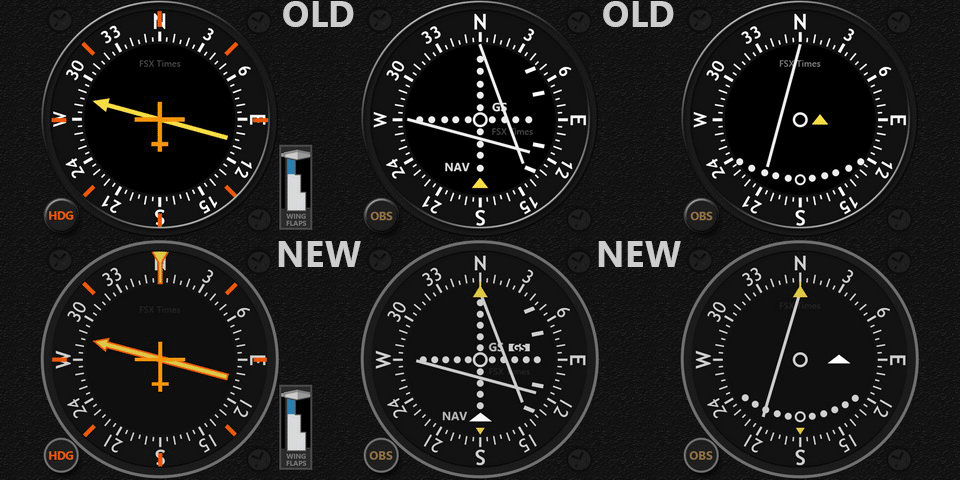
If you use Saitek Flight Information Panels, you really can’t beat Tom’s rapidly growing collection of instruments, and his service is excellent. I’m a huge fan. Thanks for your work, Tom!
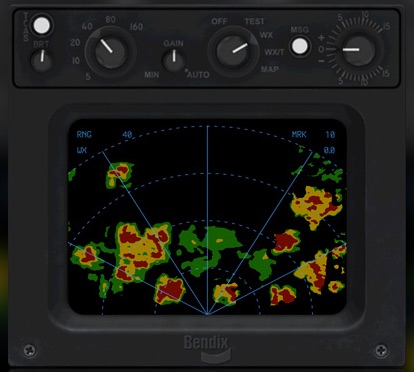
REX/Milviz have collaborated to bring a new weather radar instrument to the sim community, the REX/Milviz WX Advantage. Here’s a quick and dirty first look video. Initial impressions? It’s great, especially for how snappy and responsive it is.Yet another reason I need to buy the folks at REX a drink. A more detailed review will probably follow.
One of the reasons I’ve put music on the videos is that the GoPro doesn’t pick up the sim’s audio very well, and it can’t get any of the radio sound. But yesterday I was able to pick up an interconnect audio cable that hooks the GoPro into the sim’s intercom system, and this is a first test of how it works.
This is three loops of the KSNA pattern flown on PilotEdge. It was shot fast and dirty with minor editing, and not the normal GoPro mount as I need a skeleton case to do that (one is on the way). The audio levels for the engine need to come down a bit so you can better hear the ATC, and the camera isn’t in it’s usual position so the horizons don’t line up quite right. And the title says “TEXT” not “TEST” (it was late!). But it’s a good first start, and it also gives a feel for what using PilotEdge can be like.
(Also, as an aside, the new realism shader pack does a remarkable job. The cloud shadows are really pretty remarkable, and with the Orbx scenery this all looks surprisingly real.)
I’m happy to say that today I completed the V-3 VFR rating on the PilotEdge ATC network. This is the most challenging of the visual flight rules ratings, and I’m proud to say I passed it on the first try!
The requirements of the V-3 rating, per the PE training site:
This advanced rating involves transitions of complex airspace, and knowledge of published VFR routes around LAX. The pilot will depart KSNA, and fly at least two of the published LAX Bravo transitions, choosing between:
- the ‘Coastal Route’
- the ‘Mini Route’
- Special Flight Rules Area (SFRA)
- the ‘Hollywood Park Route’
- the ‘Coliseum Route’
and then ultimately land at Torrance (KTOA). The pilot is not permitted to land at any airports prior to landing at Torrance.
What this means in English: The area around LAX is indeed complex airspace, as you can see in this image from the LAX sectional chart (click it to see it full-sized) …
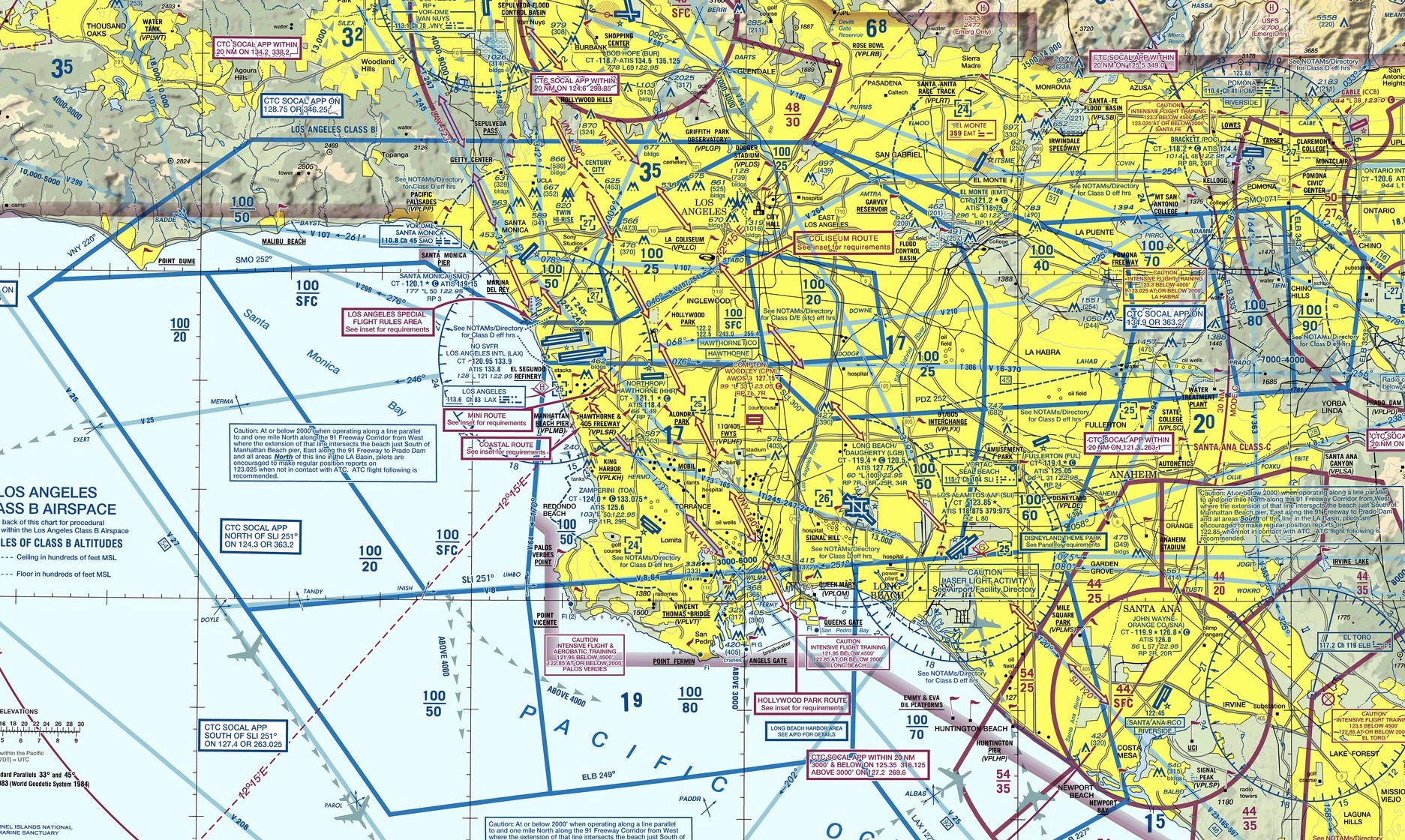
There’s a lot going on in this airspace, but the most important part of it is the LAX “Bravo” airspace, which is airspace that an aircraft is absolutely NOT allowed to enter unless it is given permission to do so by ATC. Once inside the Bravo, that aircraft has to remain under ATC control, and many only go where ATC says it may go. This is to keep aircraft from bumping into each other in congested airspace. The LAX Bravo is denoted by the blue lines in the chart, and they fit together like pieces of a puzzle because the space is in three dimensions. It has a ceiling of 10,000 feet throughout but varying floors based on where the air traffic is being routed by LAX. You can tell what those limits are on the chart by the stacked blue numbers in each blue section (e.g. 100/50, which is a ceiling of 10,000 feet MSL and a floor of 5,000 feet MSL). So in 3-d the LAX Bravo actually looks like this:

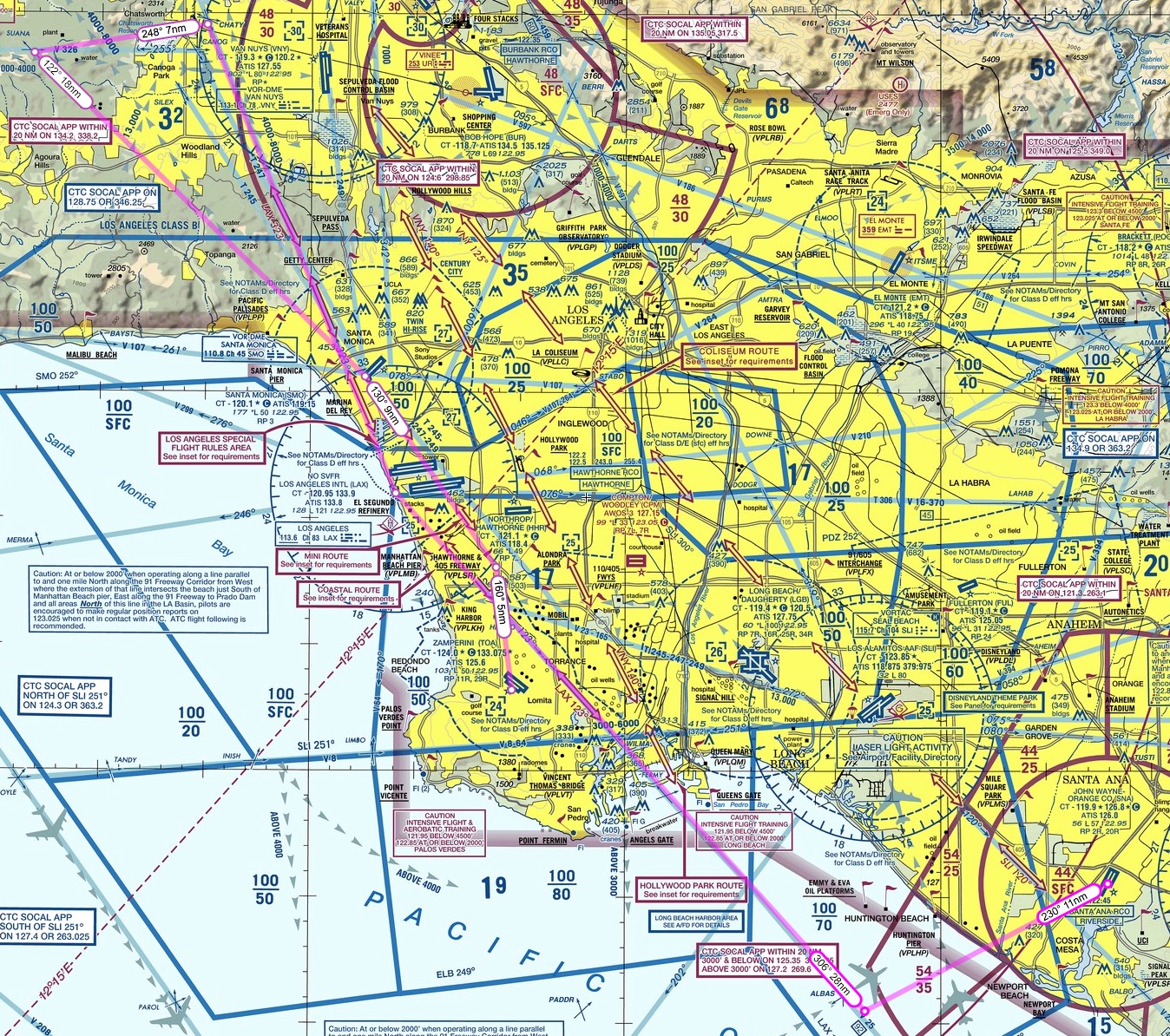
But if you are not flying into or out of LAX, how do you get north or south over the LA basin without flying 100 miles out of your way? You do it by crossing one of five Bravo “transitions” set up by the FAA. I’ve annotated the chart below to show the outline of the LAX Bravo in pink, and four of the transitions across it in bright blue (a fifth, called the “Los Angeles Special Flight Rules Area” is a bit harder to explain and I’ll pass on it here):
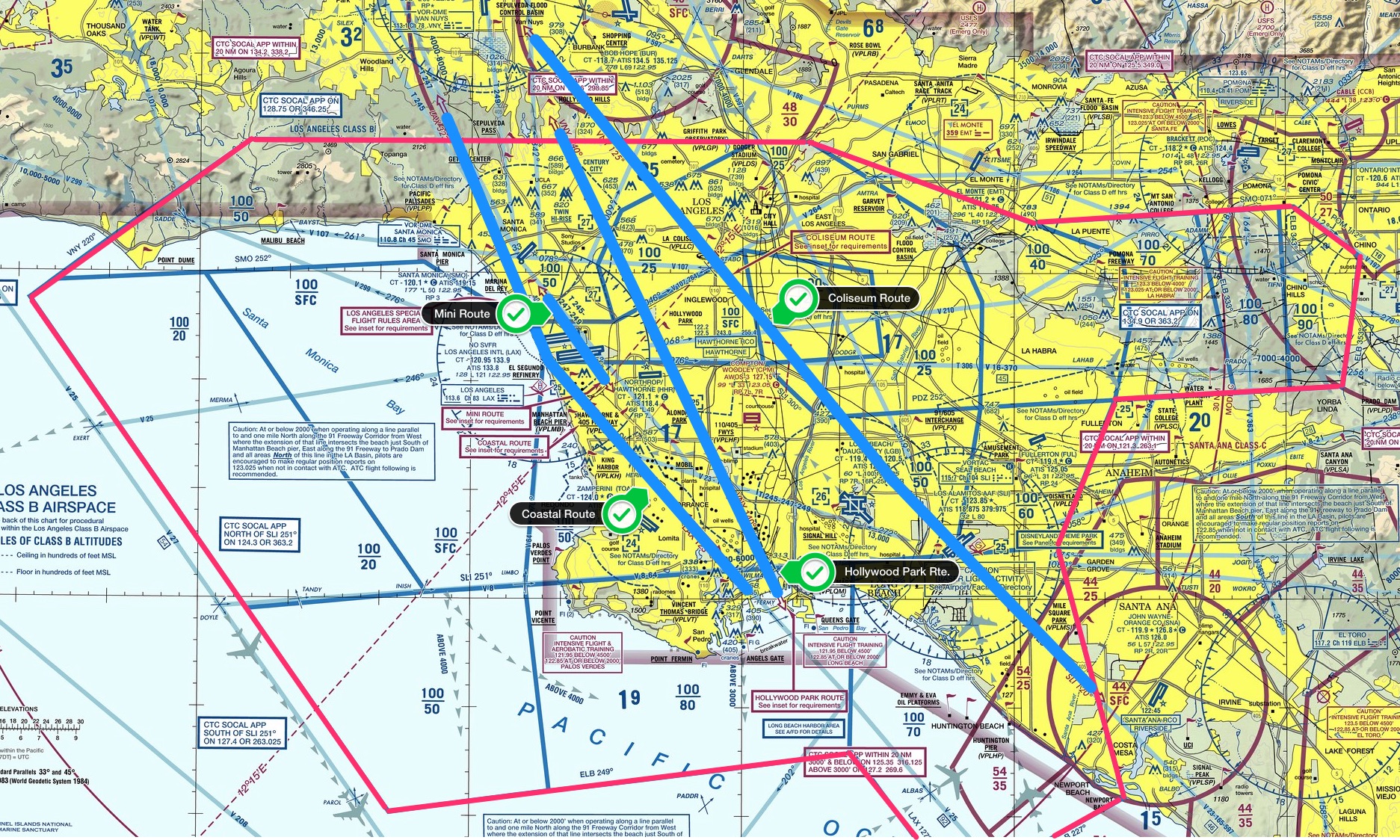
Again, you can click on that chart to make it larger. The four primary transitions are the Coastal Route, the Mini Route (which goes directly over the LAX tower and is quite narrow), the Hollywood Park Route, and the Colosseum Route. Each has its own set of rules and altitude, because as you can see in the 3-D image of the Bravo there are a lot of places where you can fly under the Bravo, most notably right over LAX itself where the Bravo is most narrow (which make sense because there all the traffic is arriving or departing from the East or West).
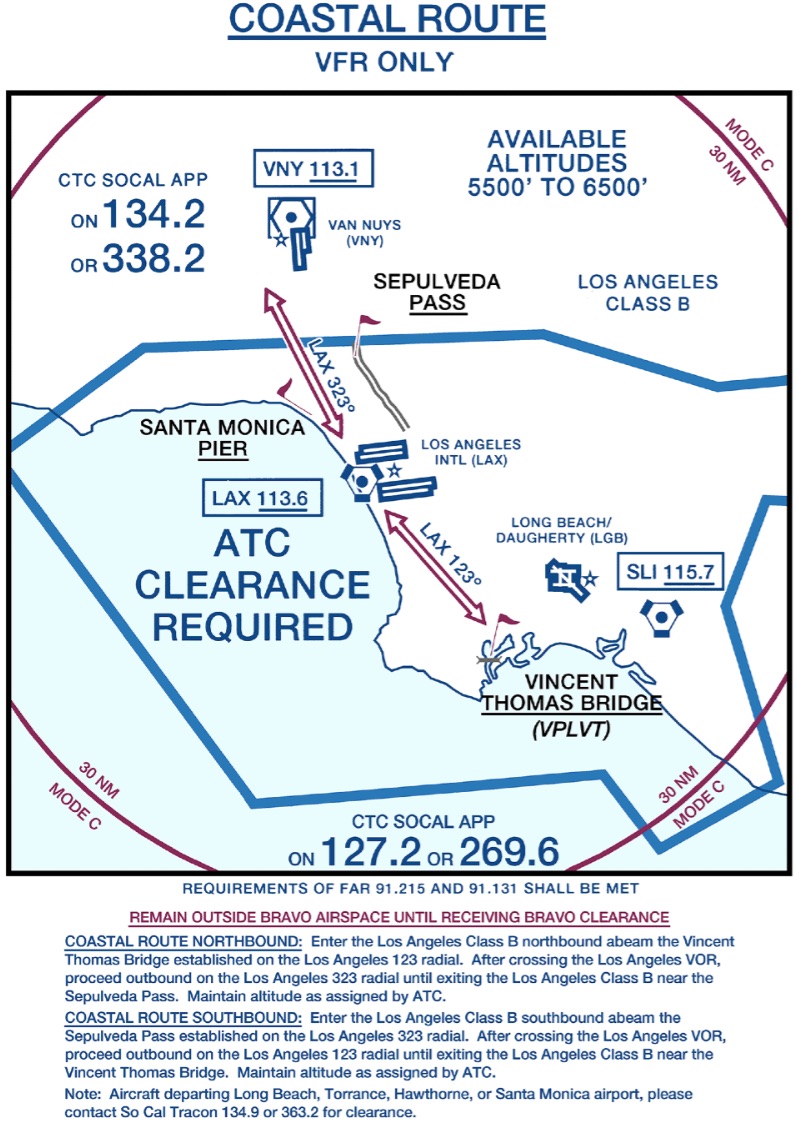
For my rating I decided to fly the Coastal Route up, at an altitude of 6,500 feet, and the Mini Route back, at an altitude of 2,500 feet. The Coastal Route going north is pretty straight forward: you fly the 123 degree radial of the LAX VOR into, and the 323 degree radial out of, the Bravo at 5,500 or 6,500 feet, and you’re with LAX Approach the entire way. Here’s the Coastal Route insert from the LAX sectional:
The Mini Route going south is more demanding. You fly under the outer shelfs of the Bravo on the way in, fly over the Santa Monica VOR, and then on its 128 degree radial you fly directly over the LAX tower to the Hawthorne & 405 Freeway visual reporting point. You start with Santa Monica tower, then go to LAX tower, then to Hawthorne tower, all within about two miles. Here’s the information from the sectional on the Mini Route:
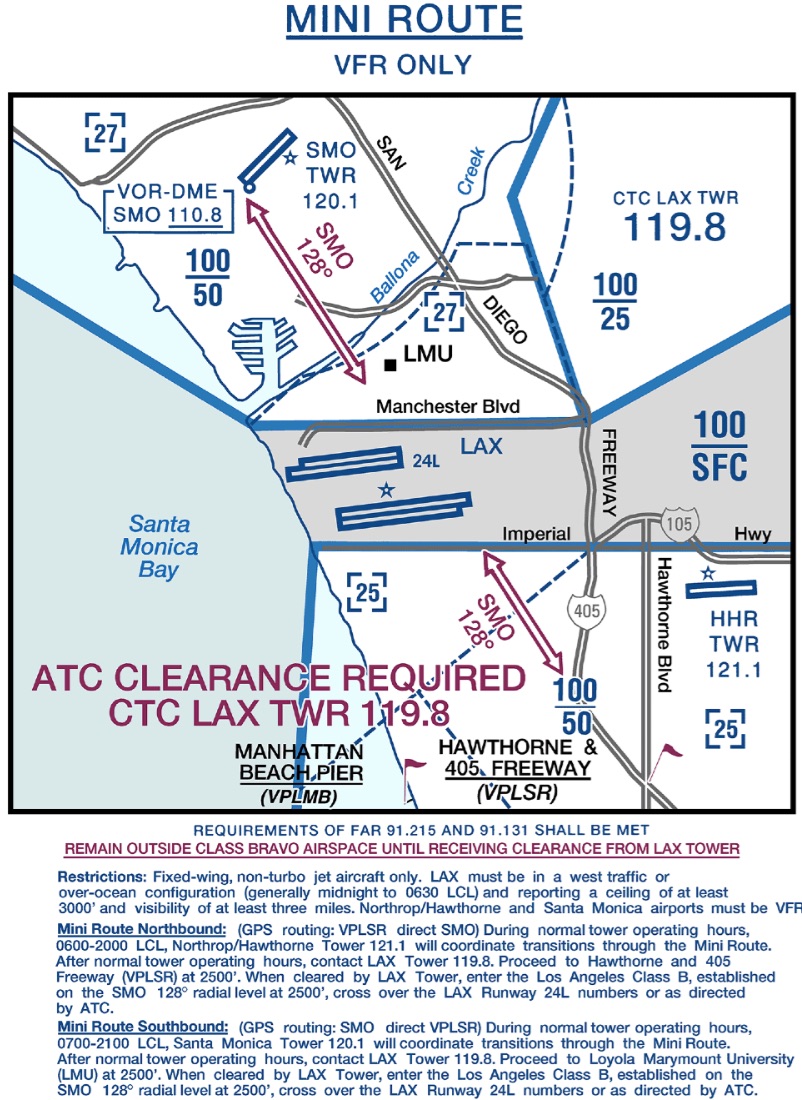
To complete the V-3 rating, you then need to go to Torrance tower after that for landing. Here’s the flight plan I mapped out for the flight (starting at John Wayne airport at the bottom right):
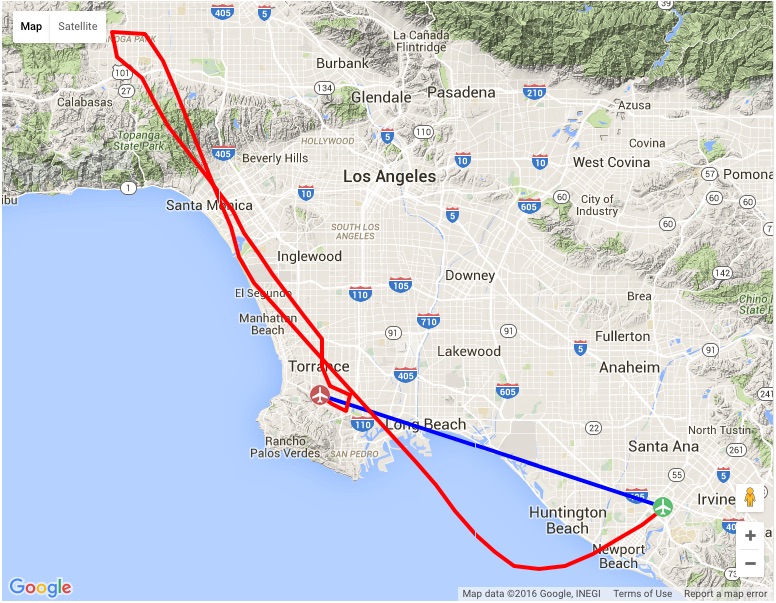
I’m happy to say that all went according to plan. A solid autopilot made it a heck of a lot easer, as I was able to focus more on the radios while letting the altitude and directional tracking do their things. I did somehow mess up my autopilot right in the heart of the Mini Route, though, and flew that section directionally by hand, which was fine. The approach and landing in Torrance was all by hand to, of course. Here’s the flight track data (ignore the blue line – ATC noted the flight as John Wayne direct to Torrance for flight planning purposes, but knew I was going via the Coastal and Mini routes):
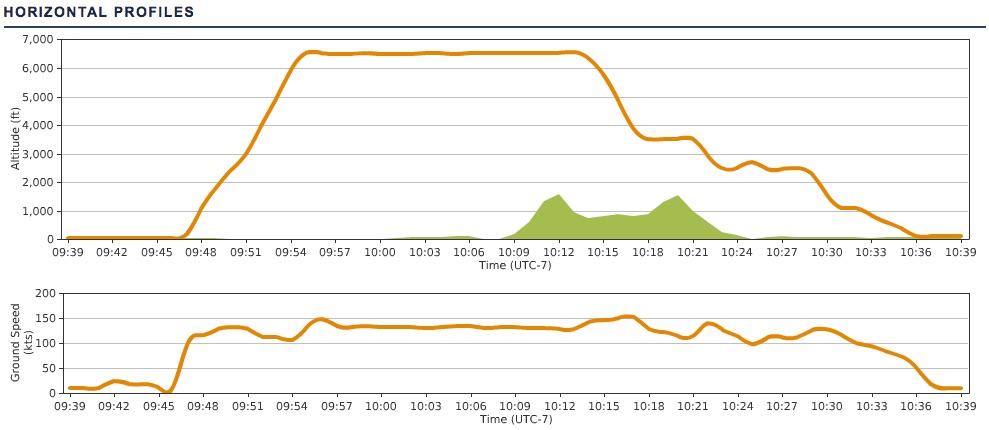
It really was a lot of fun. One reason I think it went so well is that I watched the training video for the flight, and then flew it once or twice on my own to practice. It was really helpful knowing what to expect visually and timing-wise, and I’d encourage anyone trying for the V-3 on PE to do the same. I also had a radio plan written out, with what calls to make when, frequencies, altitude changes etc., so I could keep track along the way. With so many handoffs it’s easy to think you’re talking to SoCal approach when really you’re talking to Santa Monica tower. All told, here’s the list of radio contacts for my particular flight:
PilotEdge records all their radio shifts to help with training, and I went back and pulled the mp3 files and edited together the calls for my flight. You can listen to it by clicking the play button below, and my call sign is Skylane 15 Juliet Golf.
The PE software does a nice job of automatically deleting any dead air, so it’s compressed significantly from the actual flight time of just under an hour. I say that also so nobody thinks PE is always this busy, although sometimes it is. I hope you like listening to it, and thanks for reading about my PE flight across the LAX Bravo.
I noticed when linking over to the REX website today that they and Milviz have released a new weather radar add on for P3D and FSX. I’ve been looking for something like this for a while. Active Sky Next has a radar screen, but I wanted an instrument that I can run on the touchscreen (instead of the GPS, and perhaps finding a way to easily switch between the two). So I think I’ll download this and give it a go, and will post a review here when I can.
Here are some screen grabs from their site …

A few weeks ago I did a PilotEdge flight from Grand Canyon to Laughlin. To pass the time along the way I took some screen captures. They really show how great the REX-4 Direct environmental sky textures, clouds, and haze can look.
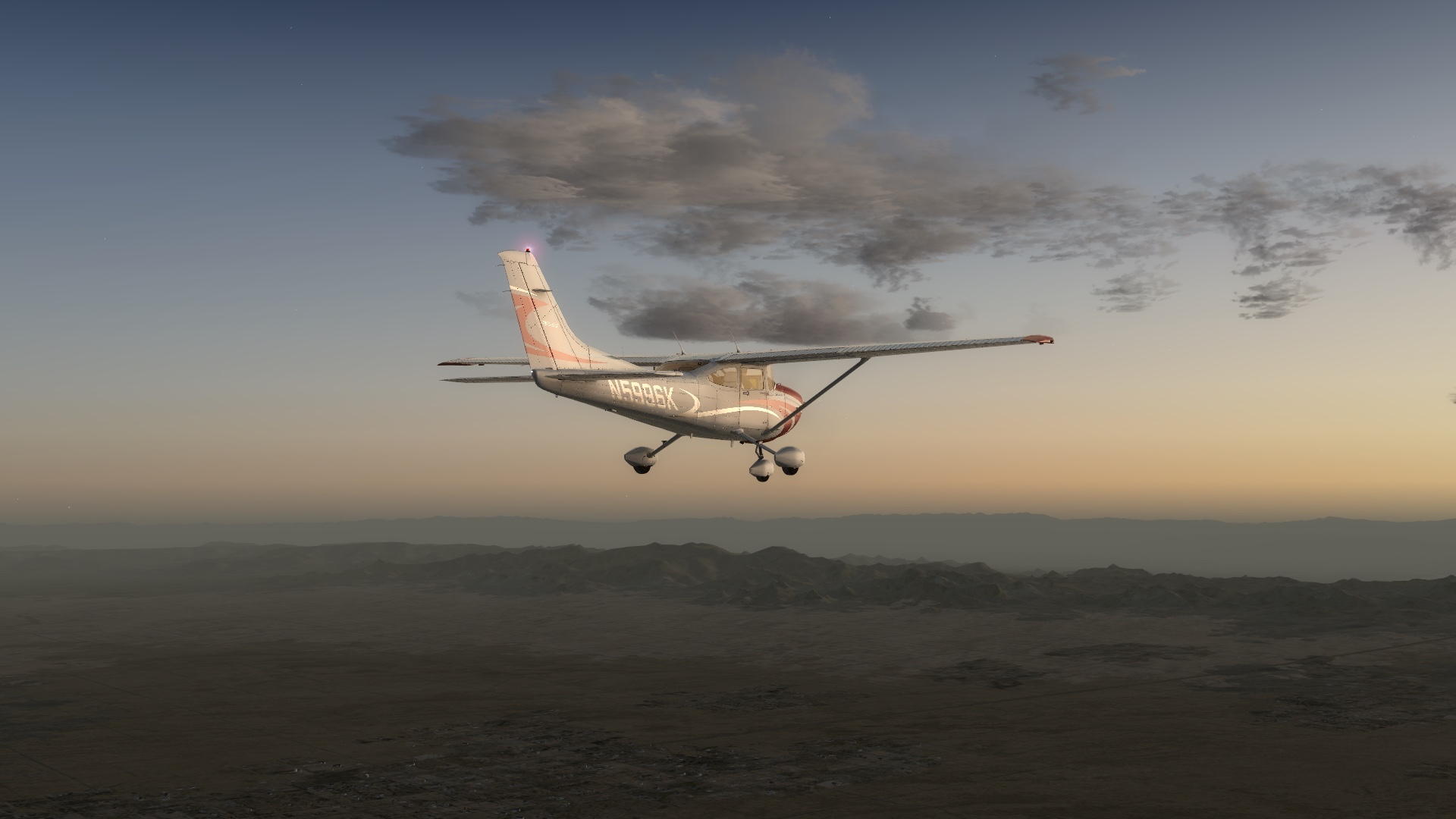
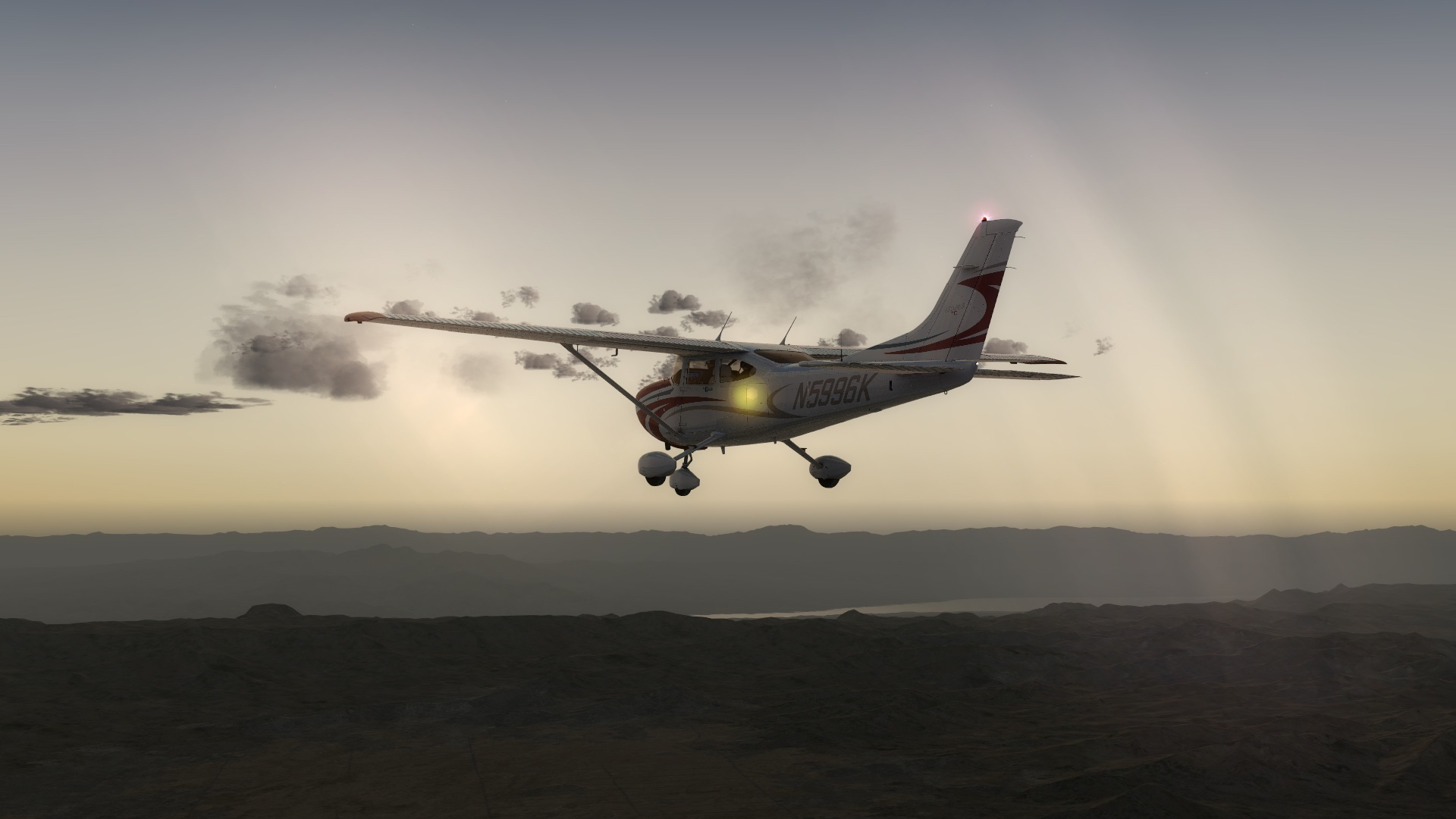
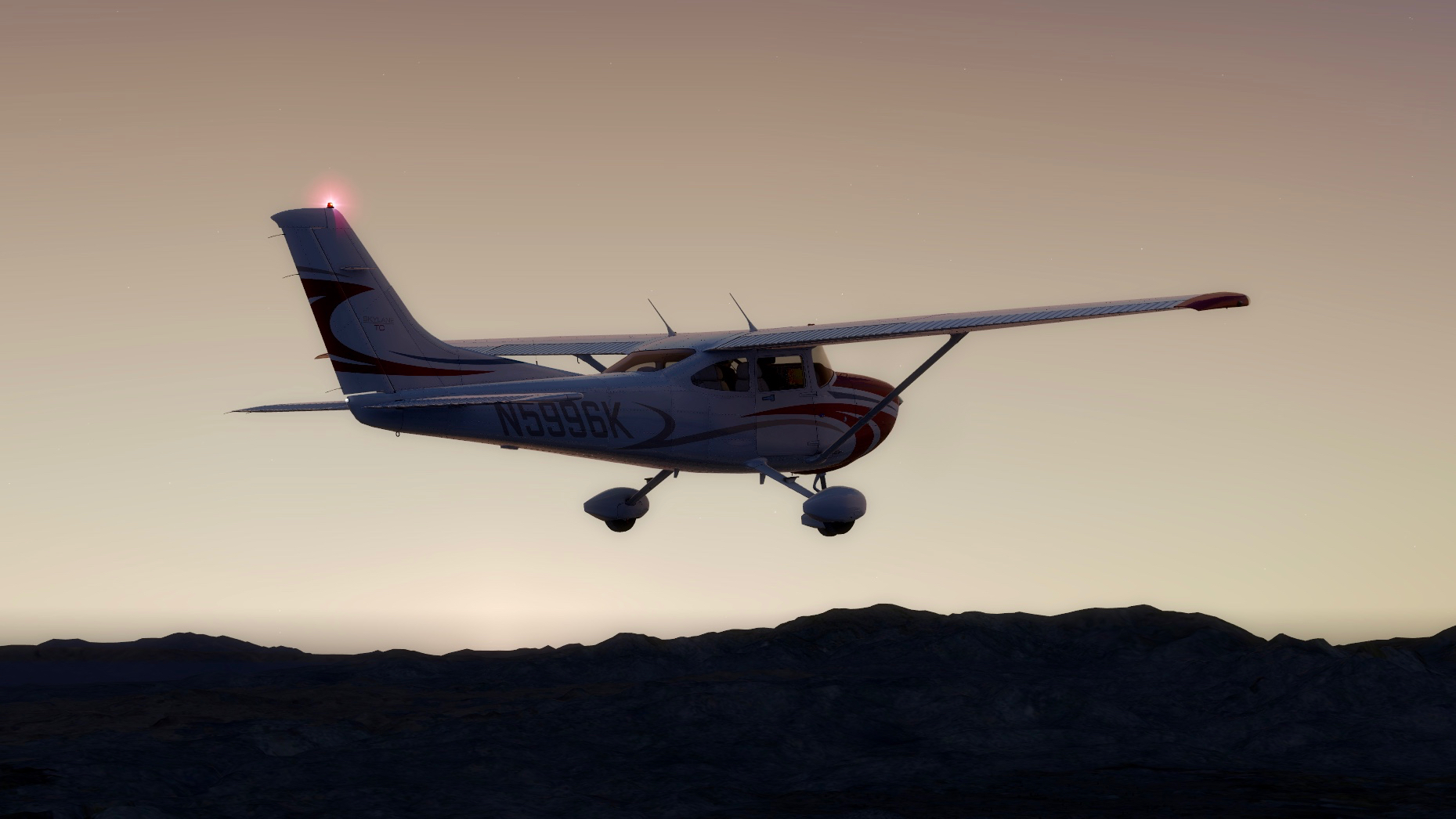
Two links that I’ve recently come across that are worth following.
The first is C-Aviation, a cool simulation / aviation blog published by Wojciech Przybylski, who is Polish and publishing the blog in English as a second language from Europe. He’s an FSX flier, but the blog has plenty of content that should appeal to any simmer (like this roundup of news on the soon-to-be-released DTG Flight School). It’s also one of the few current aviation sim blogs I’ve found.
The second link that’s worth a click is America by Air, a series of reader-submitted airborne photographs by readers of the Atlantic Monthly (one of my favorite magazines, BTW). Any aviation buff will find the series hugely enjoyable.
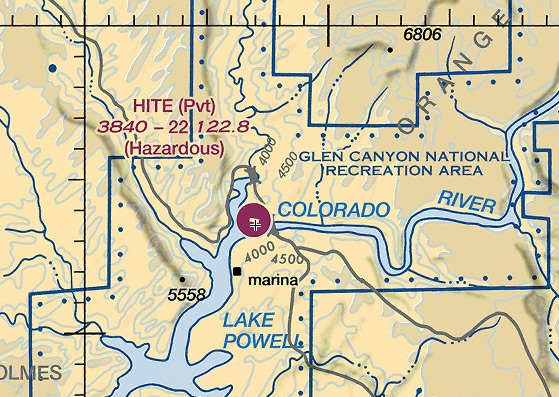
Hite (UT03) is a rough-and-ready canyon strip on a ledge overlooking Lake Powell, UT. Tough to get in and out of, but if you do it’s a nice VFR flight NE through Canyonlands National Park to KCNY near Moab.
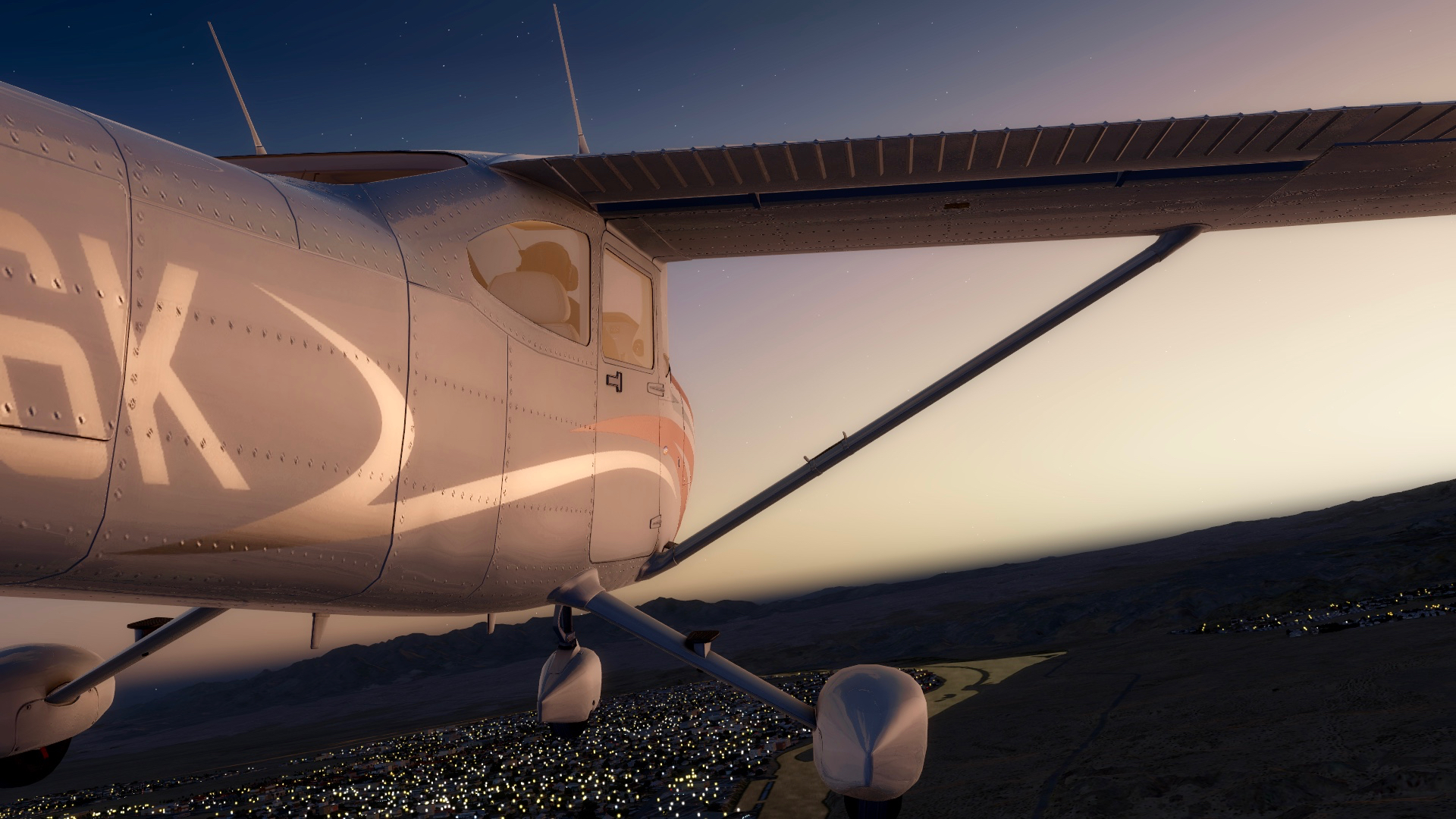
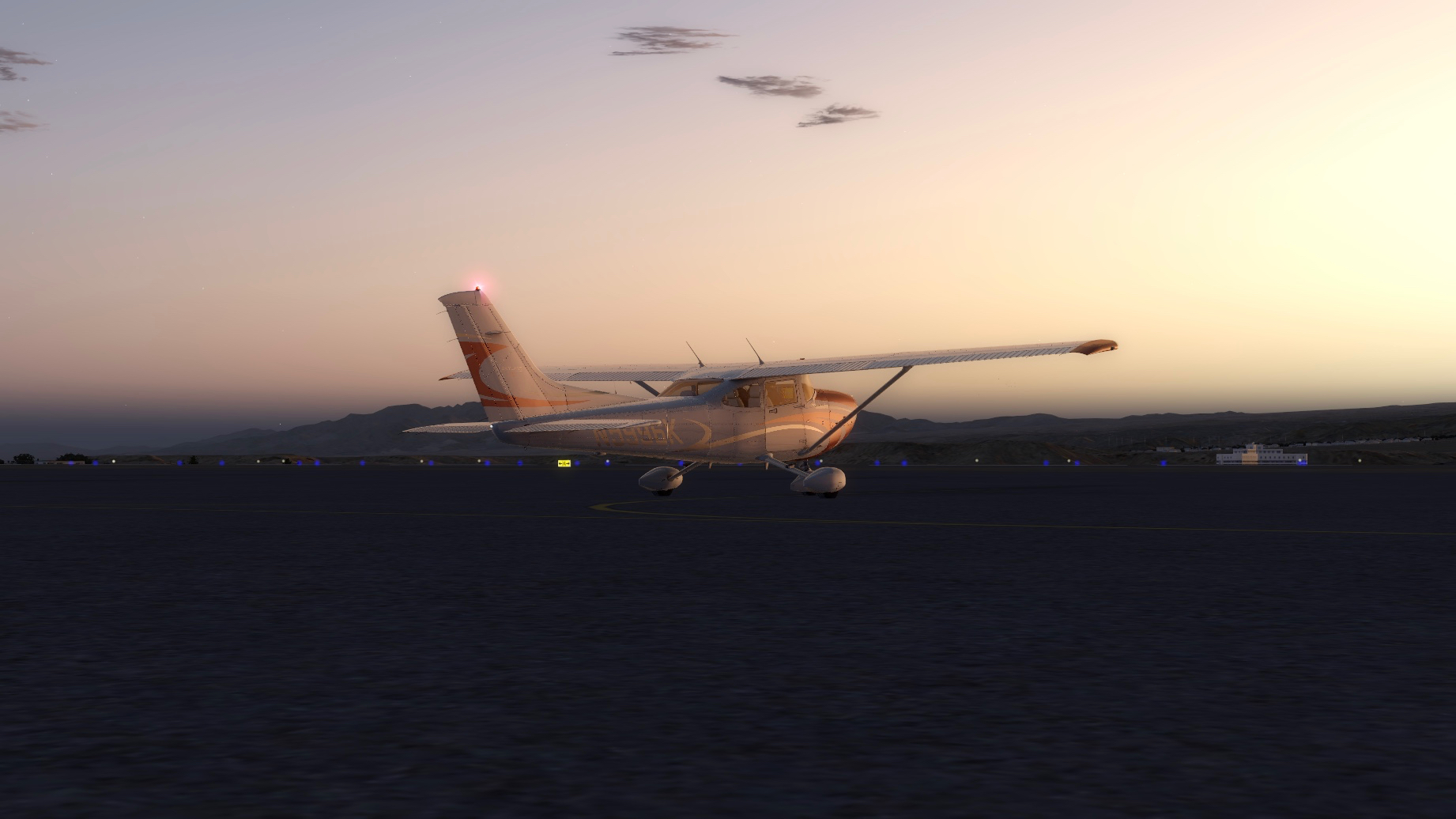
For this flight we step out of our usual A2A Cessna 182 and fly an A2A 172 Skyhawk. Barely had enough juice to get over the rim. Scenery is Megascenery Earth Utah. Music is the Grateful Dead.
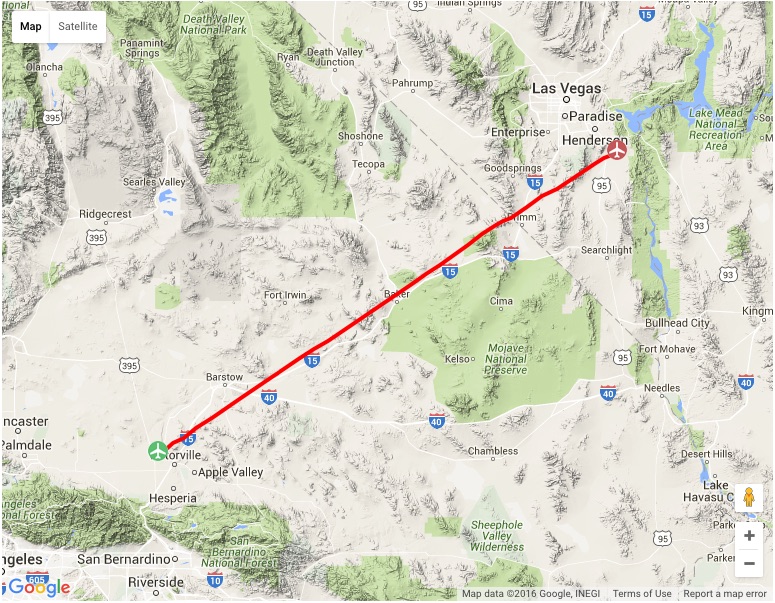
Last night on PilotEdge I decided to fly from Victorville, CA to Boulder, City, NV (just outside Las Vegas). This is the first leg of a two-leg trip VFR PilotEdge flight from KVCV to St. George, Utah. KVCV is the old George Air Force Base, and is now a towered public field working as Southern California Logistics. My Dad was based at George in the early 1960s as a doc in the Air Force, and while it was before I was born, stories of going “over the hill to Victorville,” and the realities of high-dessert 1960s base life, still run through our regular family mythology.
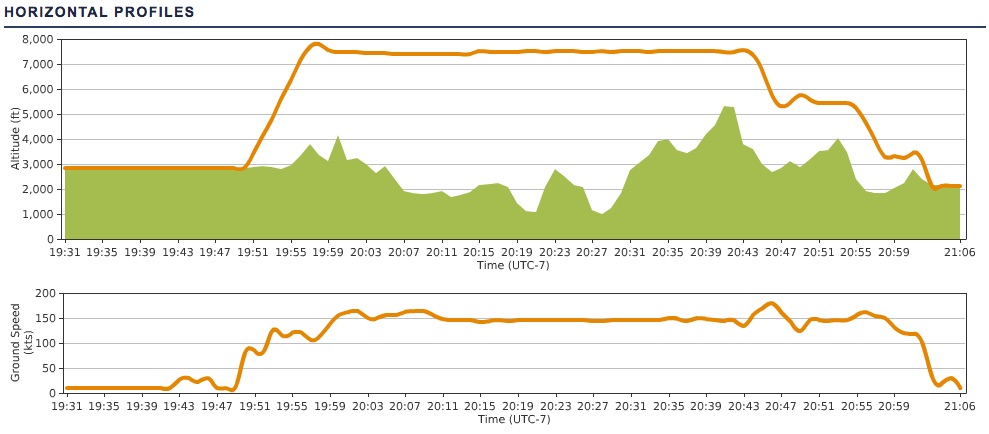
While this was a VFR flight, I did file a flight plan online via PilotEdge so I could log and track the flight on PEaware. The sectional chart below shows the flight, and I planned it as direct GPS, 140 knots, 7,500 feet (necessary to keep from running into the shoulders of Clark Mountain). Other things to manage on this flight included getting clearance to fly through the Silver North Military Operating Area, avoiding the Las Vegas Bravo airspace, and arriving at Boulder City in the dark. You can click that chart image to see it full-sized.
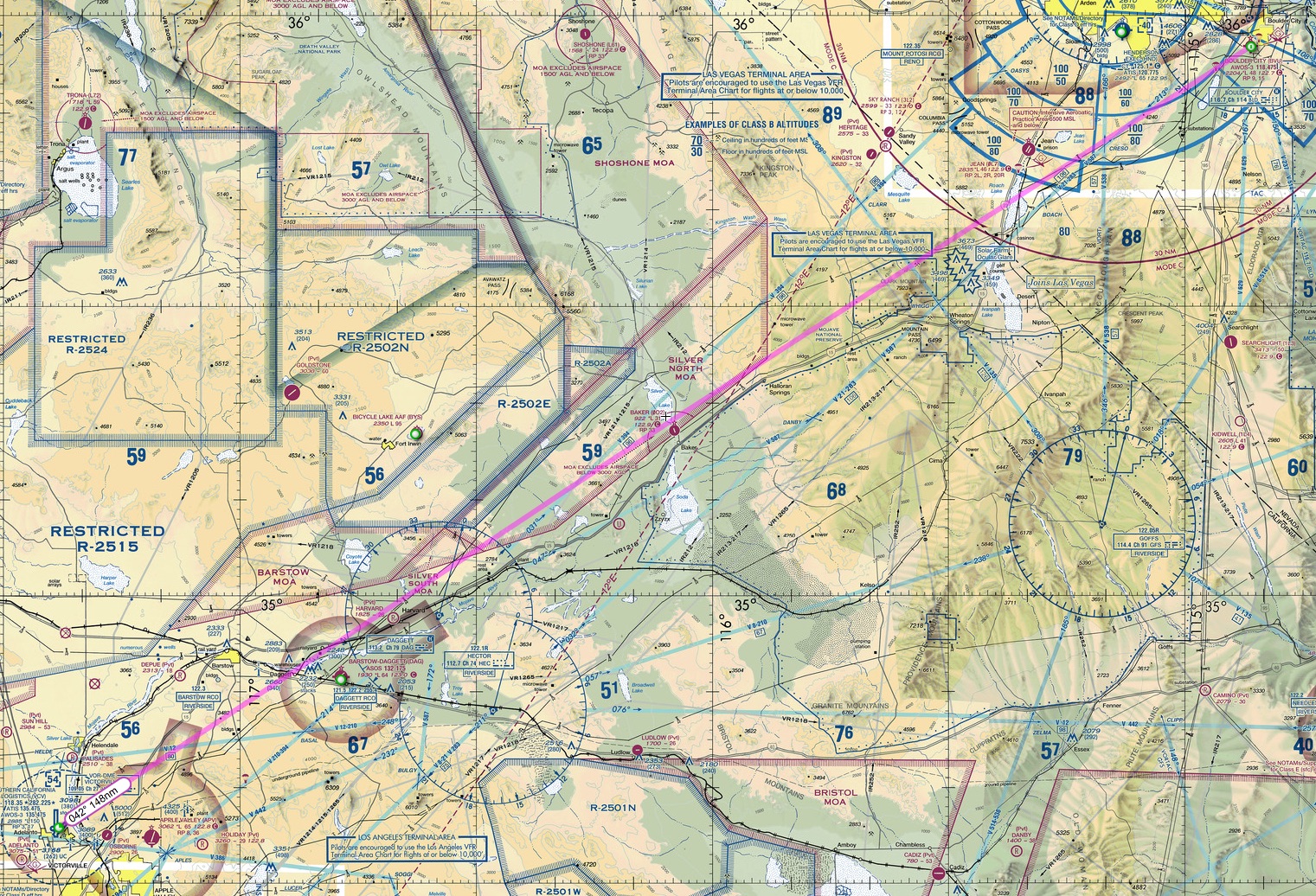
The route and vertical / speed profiles are below. I used ATC flight following the entire way, which is a smart thing to do because it’s safer, and it makes the handoffs near a Bravo like Las Vegas a bit less worrisome for pilot and ATC (you know they are watching, and they know you know where you are going). The PilotEdge side of things went well, save three small mistakes: I called to Joshua Departure before switching over from KVCV tower, I addressed Las Vegas Approach as LA Center for half-second before correcting myself, and when I went to the KBVU CTAF I told LV Approach I was going to their tower (when there is no tower). I was already correcting myself when the controller said, “I don’t think you’ll find a tower at Boulder City, but you’re welcome to try.” What can I say, it was late. Still, it goes to show that PilotEdge is an excellent training tool, and I learn something every time, even if just listening to the traffic. It can’t be beat as a simulation add on.
On this flight as well, even though it was a simulated experience, some family history came back. The Orbx scenery is realistic enough that as I overflew the dry lake beds of Silver Lake and Soda Lake, I recalled stories my father has told about taking a light plane from George AFB during the Cuban missile crisis, and flying out into the Mojave to scout lake beds where he could land and caves where he could stash the family if the bombs started to fall. And they nearly did. He knew to make that flight when he came home one day and all the F-104 pilots had their flight bags packed and sitting on their doorsteps. They were taking on nukes and flying to Florida. Chilling times, ones I hope never return.
You must be logged in to post a comment.