
Solo cross country complete! Thanks for all the support. Another one of these, some night work, then it’s time for check-ride prep.
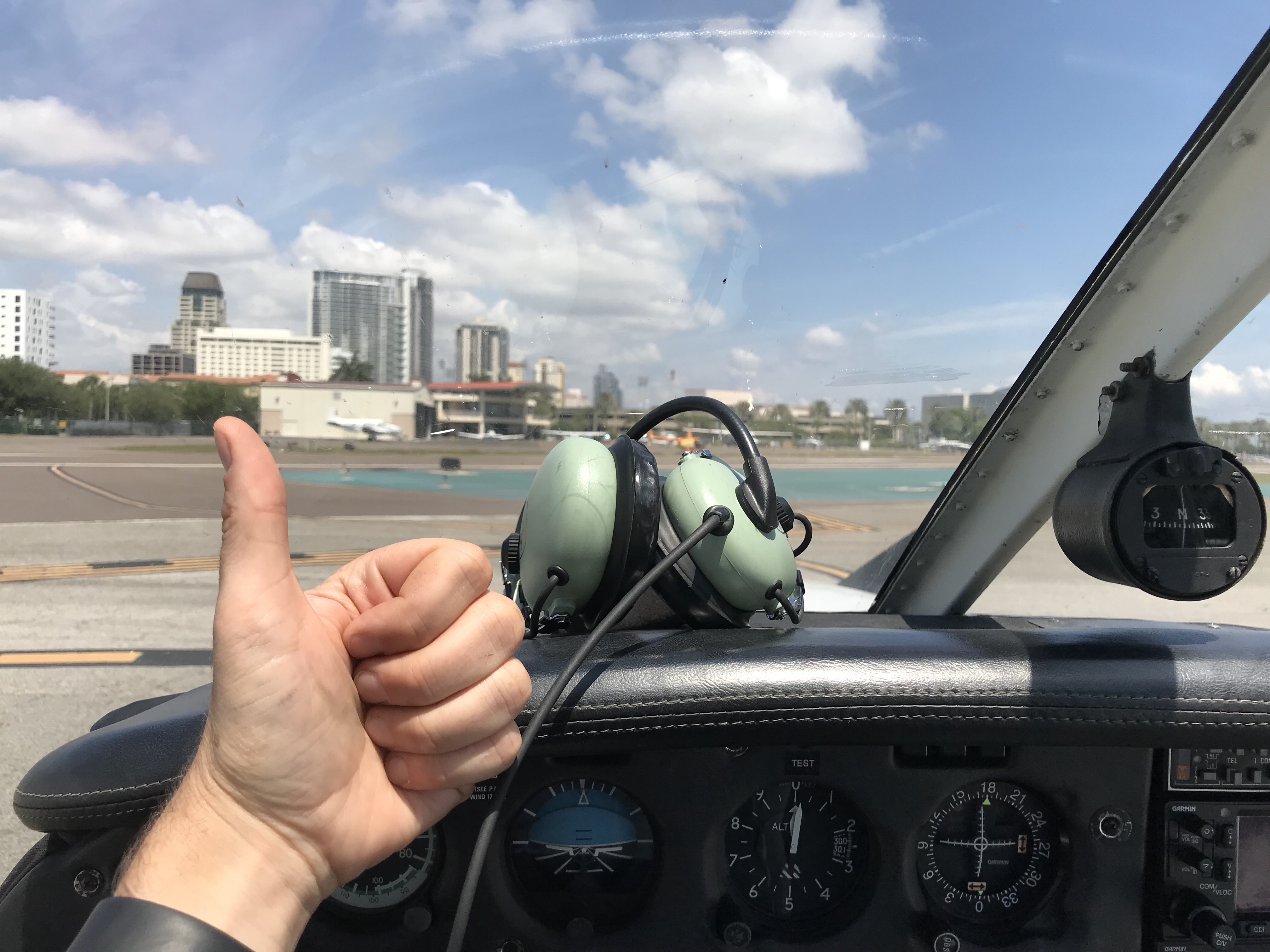
Solo cross country complete! Thanks for all the support. Another one of these, some night work, then it’s time for check-ride prep.
Went up today to knock the rust off before tomorrow’s scheduled XC solo. Today was my first solo hop in Tampa. It was intense – big boy airspace, traffic, and the door popped open on climb-out prompting some unintended pattern work – but it felt good to be in the airplane alone again. Weather permitting tomorrow it’s off to Ft. Meyers Page and Arcadia.
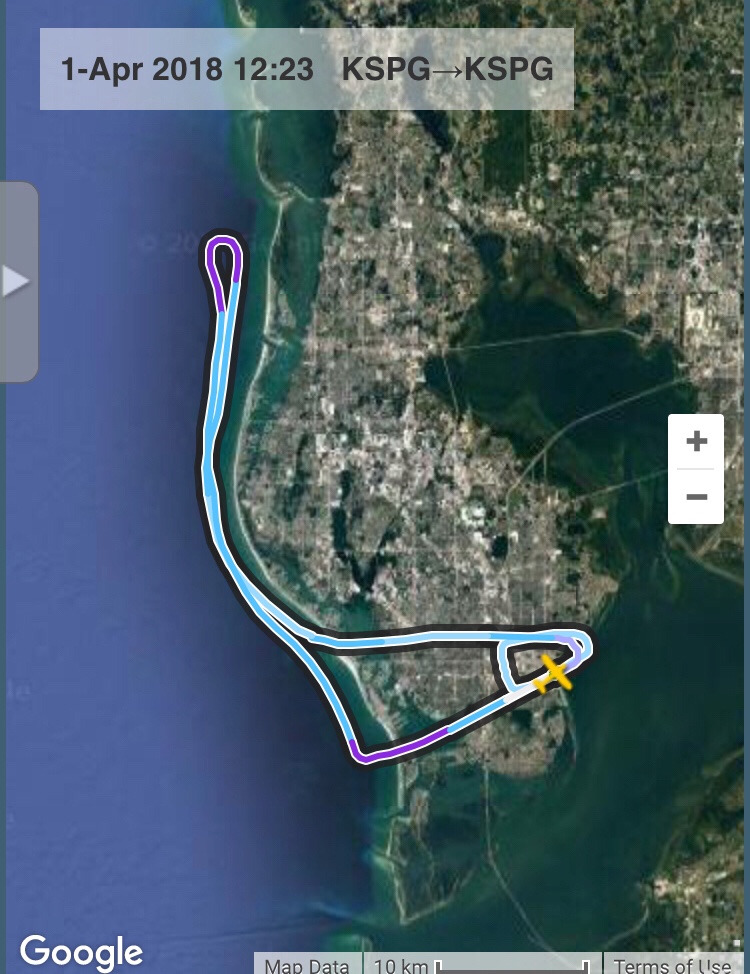
I’ve done some troubleshooting in the sim and all seems to be working well, so we’re going to take another shot at practicing the real-world solo cross country that I’m set to fly next week. The flight is KSPG – KFMY – X06 – KSPG. If you would like to come along, there are two ways to do so:
For route planning , see the route I’ve planned on SkyVector here. Hope to see you then.
Today I’ll be simulating my real-world solo cross-country, which is scheduled for this Monday. I’ve decided to stream the flight, and if you want to ride along you may do so here. I should be streaming around 11:45 AM ET today.
UPDATE: Boy was this a pain trying to get off the ground. First there were USB problems on PC boot. Then the audio wasn’t working in X-Plane. Then the sim crashed. In the real world I have a “three strikes and you’re out” rule for any flight — three small problems
, taken together, is the Universe telling you not to go flying. So we ditched the flight and I instead did Q&A with the viewers for a while, which I enjoyed. I will try to stream this flight again tomorrow morning US Eastern time.
Recently while driving I’ve been listening to and enjoying the Flightsim Community Podcast, which is produced by a host of simulation enthusiasts under this mission:
The Flightsim Community Podcast is a collaboration between four friends with years of real world aviation and flight simulation experience. The show primarily consist of real world aviation and flight simulation discussion, but other extremely important topics such as BBQ will also be occasionally be discussed. Episodes range from discussions on a particular airplane to interviews with various developers within the industry. We hope that you will gain some additional knowledge from our podcast , but most importantly have a good time and get a good laugh.
They have 10 episodes up so far, and the interviews with Keith Smith are particularly interesting. Check it out via the link above or you podcast app of choice. I hope they stick with it as it’s well worth listening to.
Last year I did a series of point-to-point flights in the Piper Saratoga, departing on the next flight from the prior destination and always flying under real-world weather conditions. I’m having so much fun flying the new Alabeo Mooney Ovation that I want to do the same in it, but with a twist: have YouTube viewers and readers of the blog determine the next destination. Here are the conditions for the flight:
I will burn orthographic scenery for each segment, and when inside the PilotEdge coverage area I will fly on the network with ATC and other PE users are welcome to fly along. When outside of PE, if others want to join and fly the segment with me via the TeamSpeak Digital Theme Park server and JoinFS, you are welcome to do so.
I would like to do the first flight today. I will begin at KHAF, Half Moon Bay, and would like to fly between 11 AM and 1 PM Eastern Time on PilotEdge. I’ll decide later if I’m going to fly VR or in the home cockpit, but I’ll probably fly VR today (and will try to alternate between the two platforms as flights continue). If you’d like to suggest a destination and route
, please do so in the comments. If I don’t have one by flight time, I’ll pick my own. Thanks for playing along.
Here’s the latest stream, which was a VR flight from ESGE in Sweden to EKYT in Aalborg, Denmark. Ortho scenery and the new Alabeo Mooney Ovation for X-Plane. The YouTube stream now captures the comments in real time, so if you follow the video link to YouTube you can watch the viewer commentary alongside the video.
My video review of the RealSimGear GNS 530. Summary: a great piece of gear that I can highly recommend. Build quality is excellent, setup was a snap, and with the RealityXP GNS 530 running on it it’s as close to the real thing as you can get. If I were starting from scratch I would prioritize this unit well ahead of any Saitek radios. And if you don’t have a home cockpit
, this self-contained unit can sit your desk and provide a fully-functional GPS running alongside your monitor and keyboard. Lean more about it at http://www.realsimgear.com.
I just wrapped up the stream of my GEG-BFI flight during this month’s PilotEdge event. There were more than 60 pilots converging on the Seattle area, and it was great. Most impressive to me was the shakedown flight for the RealSimGear GNS 530. All I can say is, WOW. This is a GREAT piece of gear , and with the RealityXP GNS 530 plugin running on it it’s just like having a full-fledged 530 in your cockpit. I mounted mine in the panel, but it’s built to also sit on a desk if you fly without a full cockpit. I shot a short review video and will post a full video soon, but all I can say is that given the price of so many (ahem … Saitek / Logitech) avionics, this unit is worth every last cent.
Jarrod of RealSimGear was very kind in sending me a beta unit of the new GNS 530 he is offering. Unlike other GPS 3D-printed build-your-own kits
, the RealSimGear unit is complete and ready to plug into your X-Plane sim. Here’s the unboxing, and I’ll have a full video review up as soon as I’ve got it in the sim and have given it a few flights. Already this morning I’ve plugged in and configured the unit. I can tell you that this unit running the RealityXP GNS 530 plugin is JUST LIKE the real thing. I’m mounting it in the panel now and a full review will follow, and I hope to use the unit during the PilotEdge flight later today.
You must be logged in to post a comment.