On The Glideslope

  • How To
    • How I Configure For VR In X-Plane
    • How To Have Dual Controls In X-Plane
    • How To Configure X-Plane 11 For Multiple Screens
    • How To Create Custom Cameras In P3D
    • How To Get Started With X-Plane 11
  • Resources
    • Schematics
    • Center Console Plans
    • Basement Sim Video Tour
    • Screen Configurations
    • A2A LVAR List PDFs
    • How To Talk ATC
    • Cessna 172 Cabin Dimensions
    • USB u0026 Saitek
  • Reviews
  • What’s In The Sim
  • About OTG
    • About OTG
    • The Construction Journey
  • Bonners Ferry With Orthos

    2017-01-31

    |

    Uncategorized

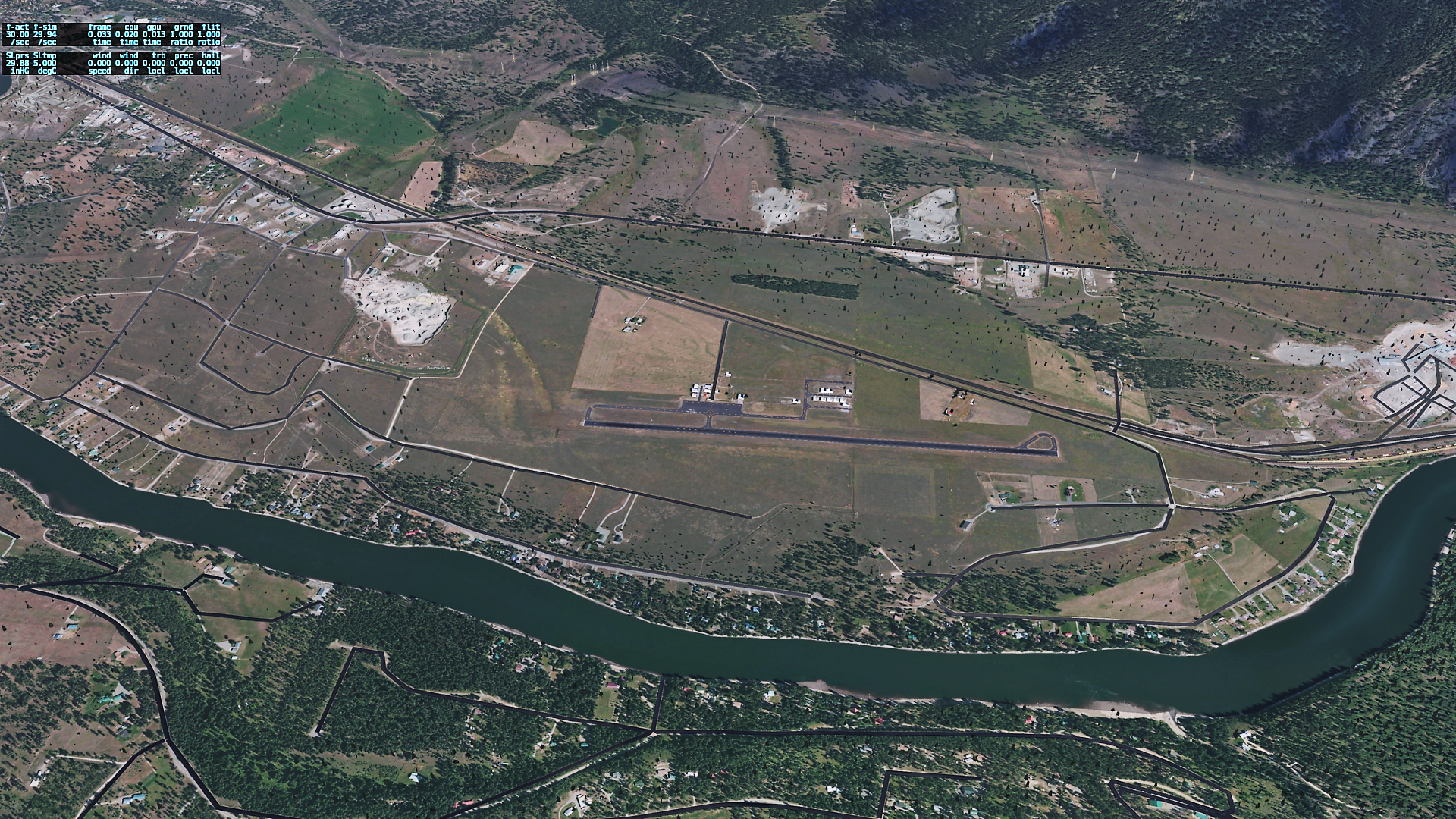
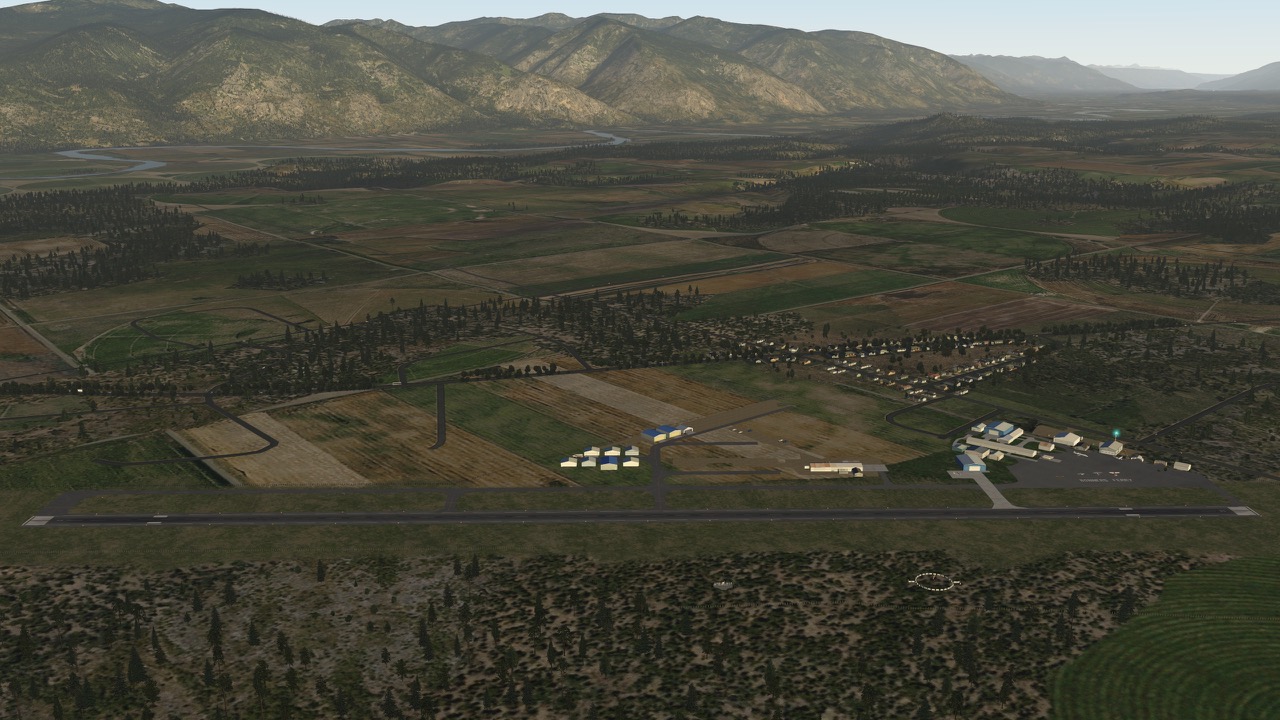
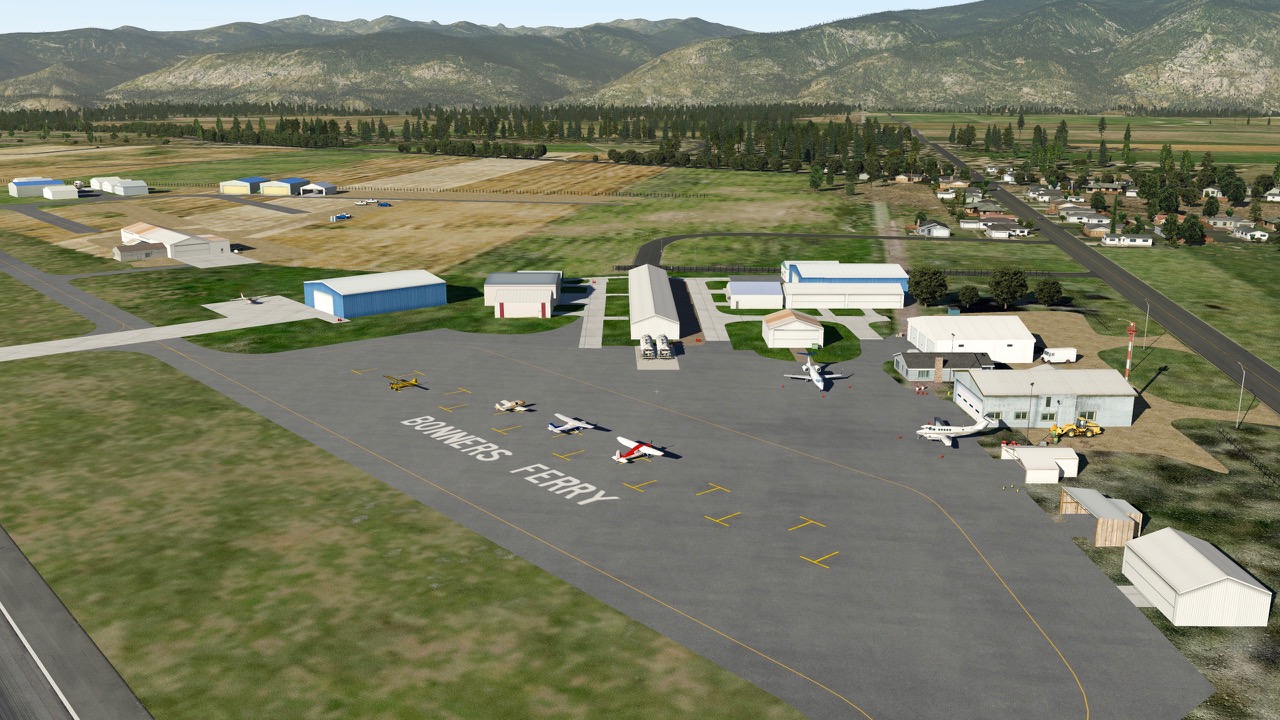
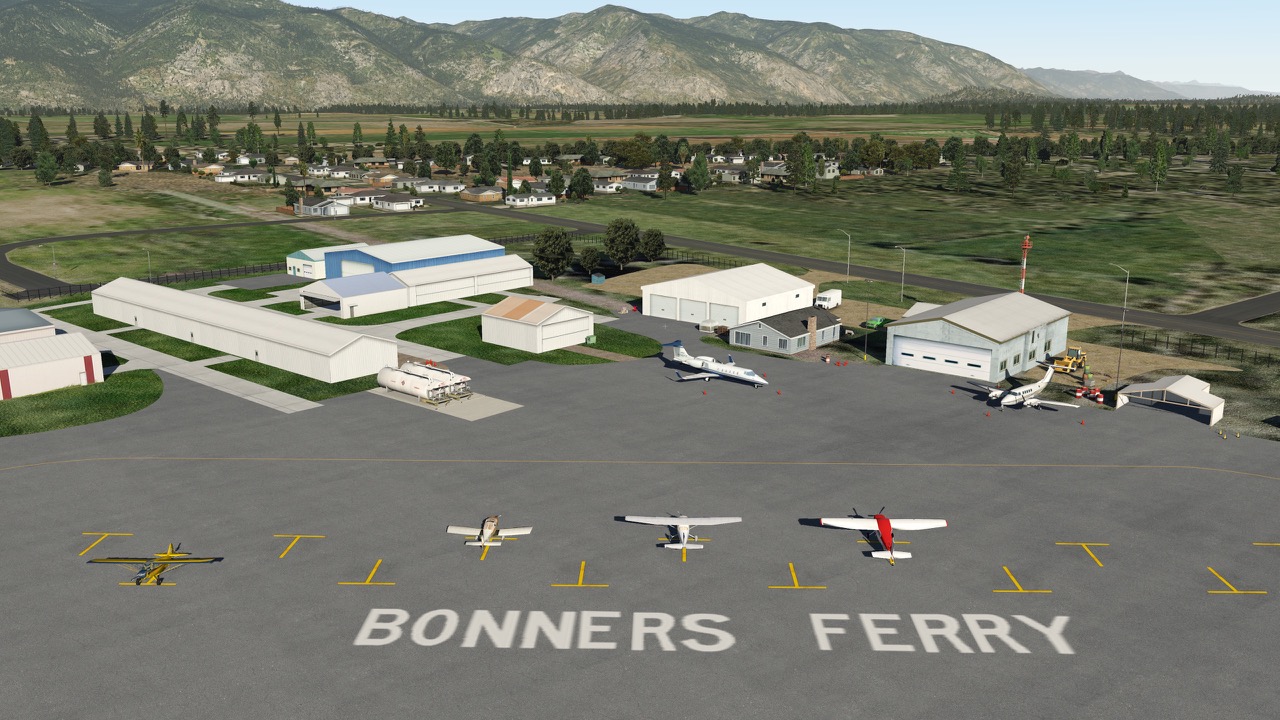
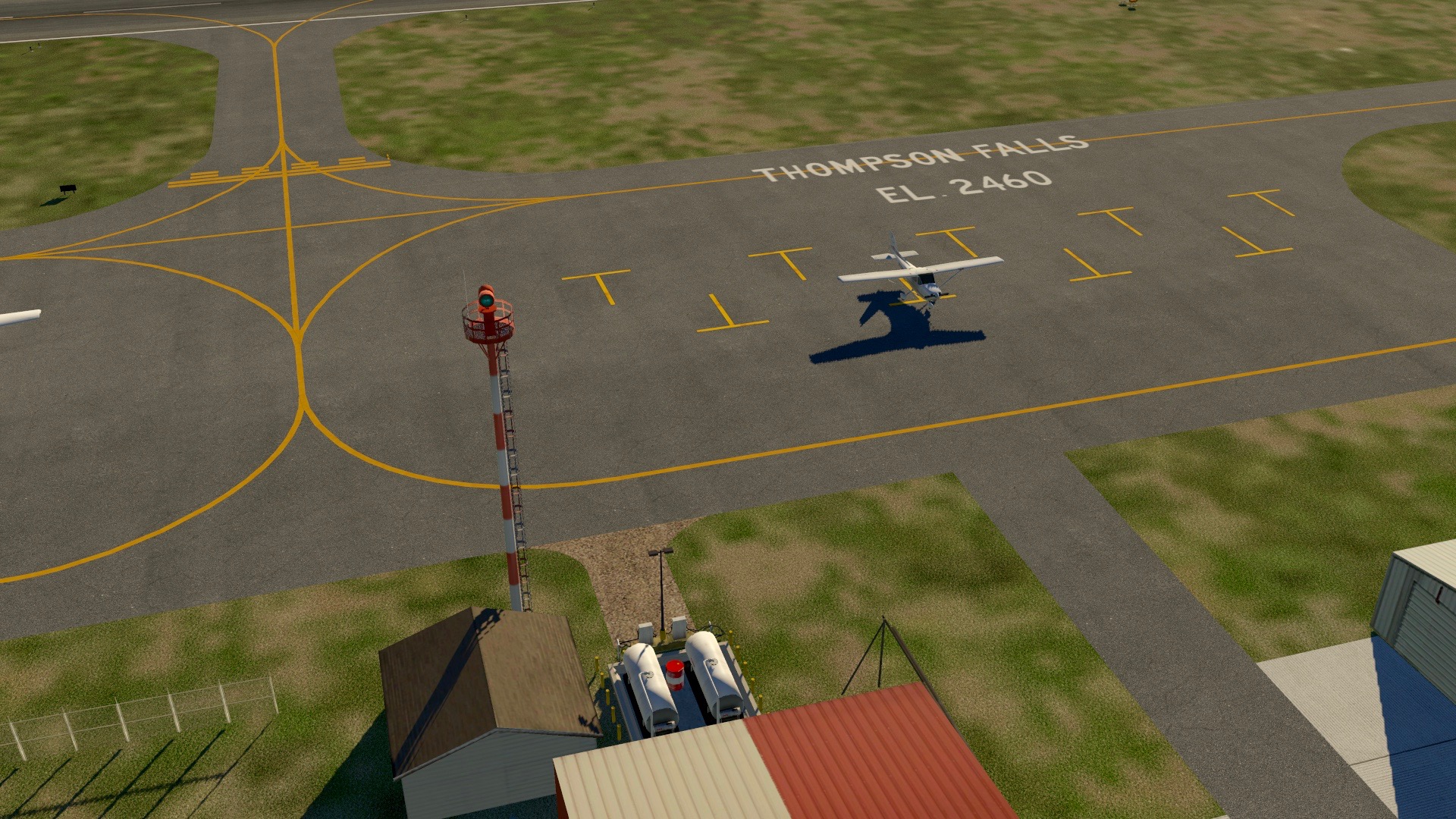
    Reader Peter was kind enough to send along screen caps of the Bonners Ferry and Thompson Falls scenery with orthographic scenery underneath. It looks great, and I was very happy to see it. I particularly like how the forest patches I recently added to Bonners set up with the real world terrain.

    Thanks, Peter. Now I’ll get busy generating some ortho scenery for this part of the world!

    Cessna_172SP_192

    Cessna_172SP_193

    Share this:

    • Share on X (Opens in new window) X
    • Share on Facebook (Opens in new window) Facebook
    • Email a link to a friend (Opens in new window) Email
    • Print (Opens in new window) Print
  • Scenery Update: KOQN Brandywine

    2017-01-29

    |

    Uncategorized

    Changes in 1.5, which you may get here:

    • Updates to taxiways
    • New parking area north of field
    • Improved forest / tree density
    • Updated metadata
    • And a few smaller changes

    This is X-Plane 10.5+ scenery. For this scenery to work properly you will also need the OpenSceneryX, JBHangars, and Prefab libraries (just the library file, not the airports). You will also need to download and place this folder in your custom scenery folder, and then place the JBHangars library inside it – this will make it so X-Plane sees the hangars. You only need to do this once. While the .ZIP is titled 1.5 the unzipped folder is not. Just drag and drop over the old one. Thanks and I hope you like the scenery.

    Share this:

    • Share on X (Opens in new window) X
    • Share on Facebook (Opens in new window) Facebook
    • Email a link to a friend (Opens in new window) Email
    • Print (Opens in new window) Print
  • Thompson Falls To Bonners Ferry

    2017-01-29

    |

    Videos

    I had a viewer request to fly from Thompson Falls, MT (KTHM) to Bonners Ferry, ID (65S). So here it is. A fun flight, with changing weather along the way.
    The default XP11 airports for both strips were pretty spare, so I designed my own. If you’d like to download them you may find them under the Custom Scenery tab at the top of the page. Weather on this flight by xEnviro, and these are default XP 11 textures with no photo scenery on top of HD Mesh 3. As always, if you want to learn more about the sim, please see http://www.ontheglideslope.net. Thanks for watching.

    Share this:

    • Share on X (Opens in new window) X
    • Share on Facebook (Opens in new window) Facebook
    • Email a link to a friend (Opens in new window) Email
    • Print (Opens in new window) Print
  • Bonners Ferry Scenery Update

    2017-01-28

    |

    Uncategorized

    Added:

    • Forest patches throughout the valley to match the real thing
    • Many trees
    • Lumber yard north of the strip

    You may download the update here.

    Share this:

    • Share on X (Opens in new window) X
    • Share on Facebook (Opens in new window) Facebook
    • Email a link to a friend (Opens in new window) Email
    • Print (Opens in new window) Print
  • Scenery Update: KTHM

    2017-01-27

    |

    Uncategorized

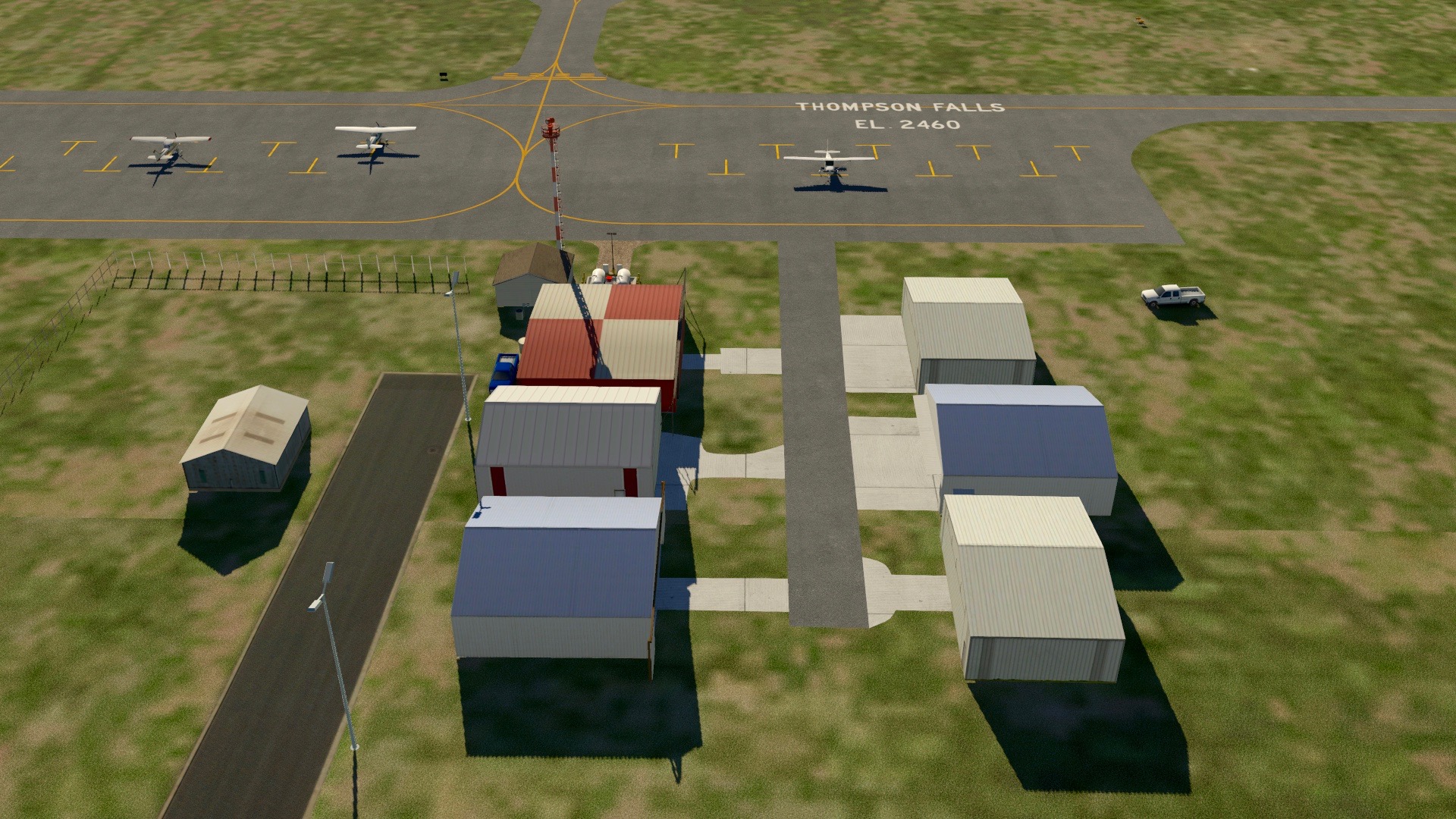
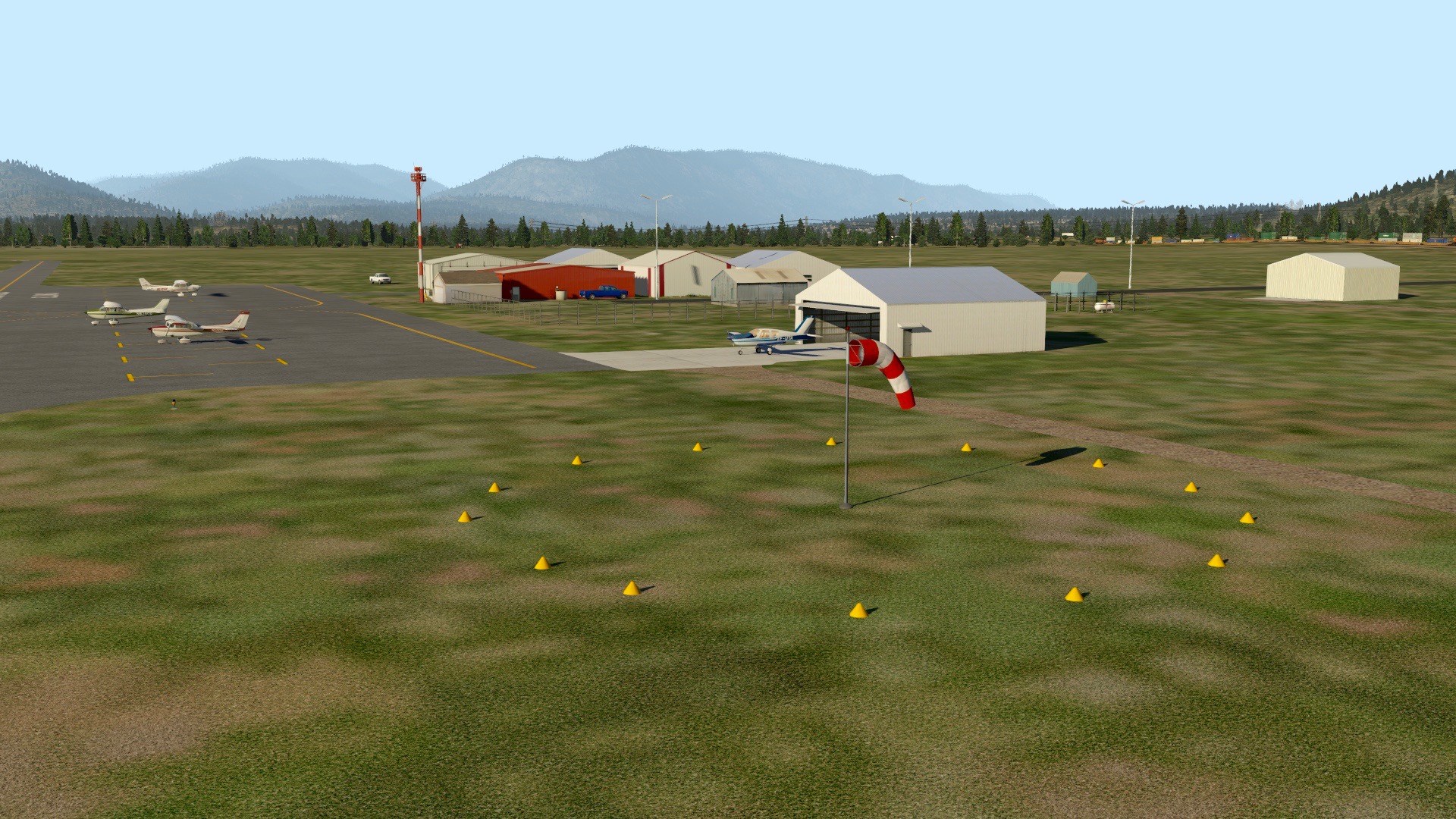
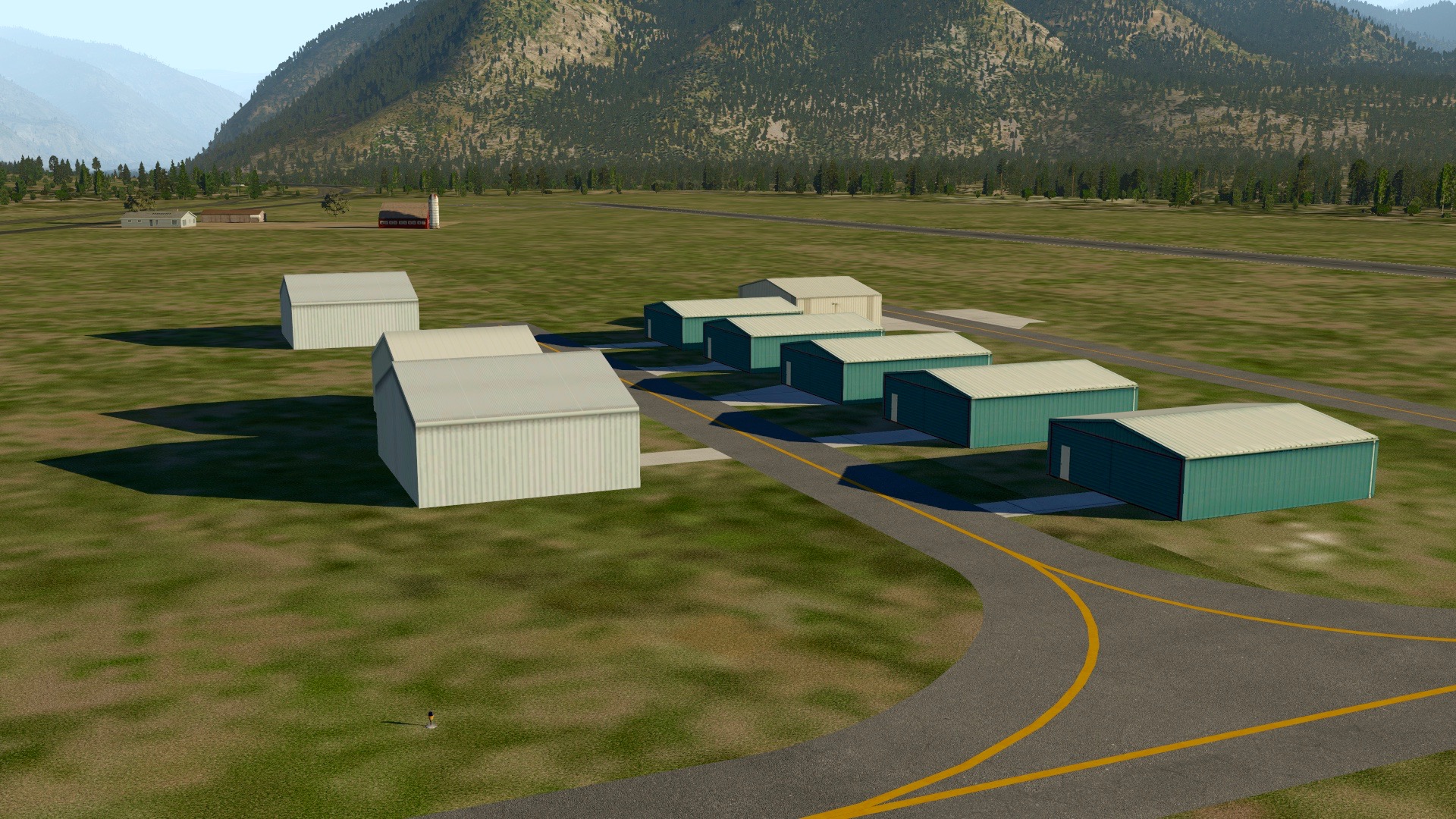
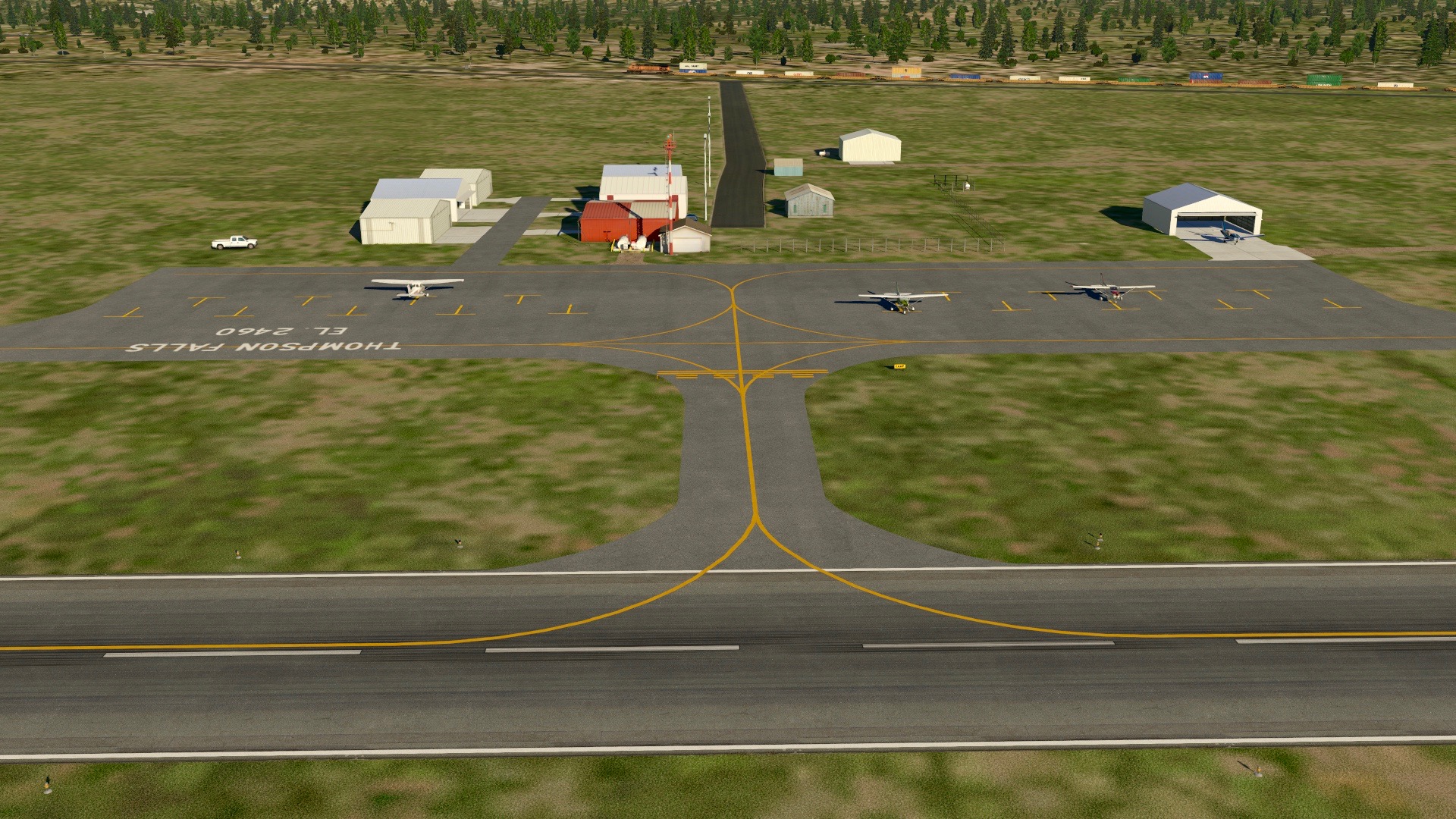
    PSA: I made some updates to the Thompson Falls scenery. You may download the latest here at X-Plane.org.

    Share this:

    • Share on X (Opens in new window) X
    • Share on Facebook (Opens in new window) Facebook
    • Email a link to a friend (Opens in new window) Email
    • Print (Opens in new window) Print
  • 65S Boundary County / Bonners Ferry (X-Plane)

    2017-01-27

    |

    Custom Scenery

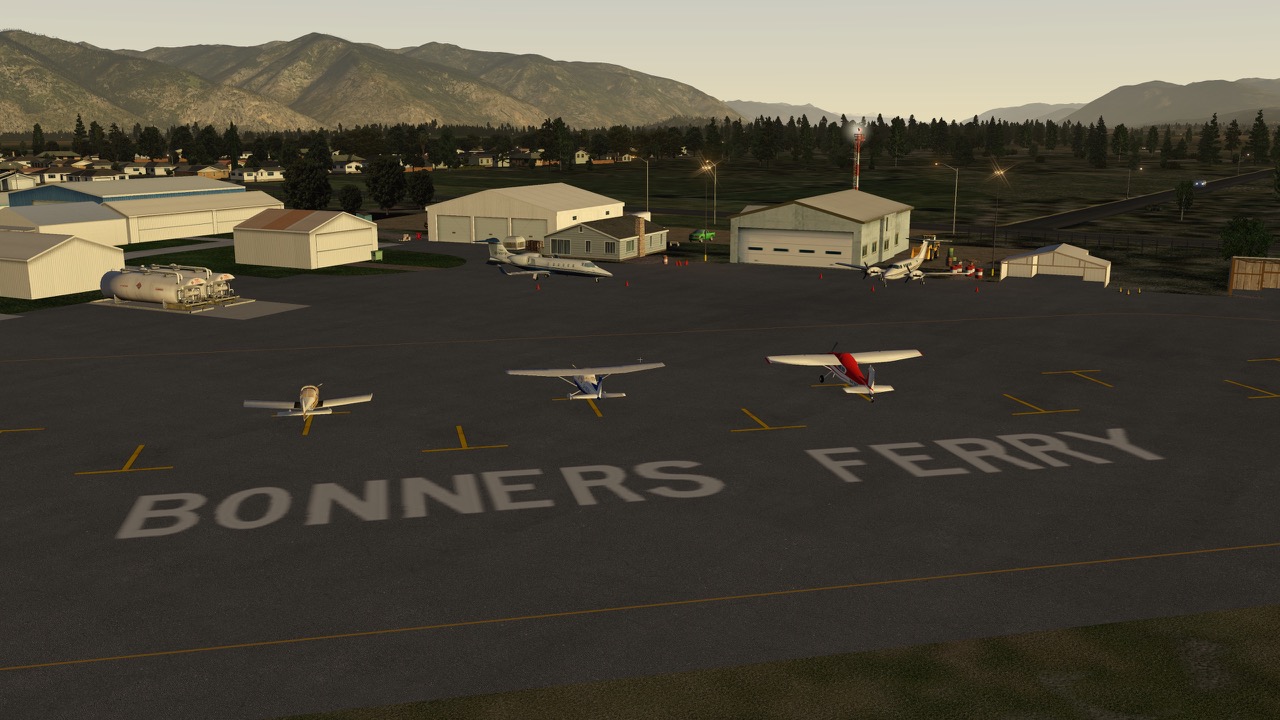
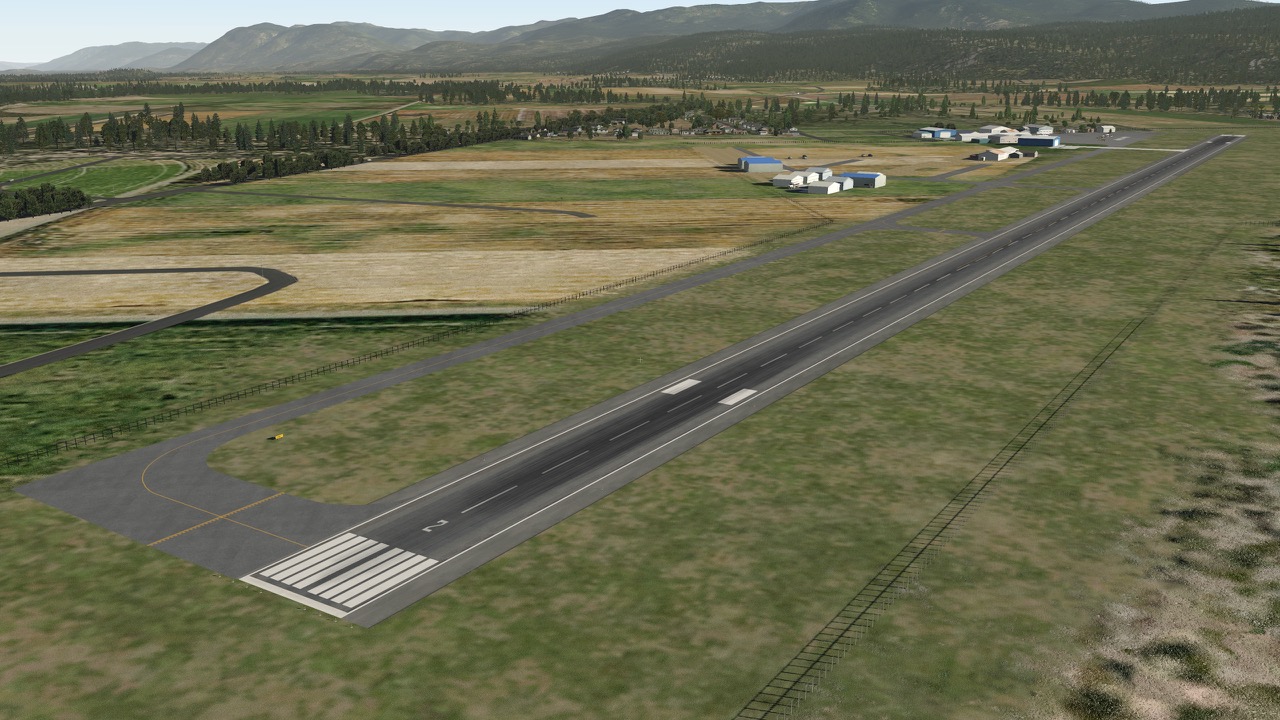
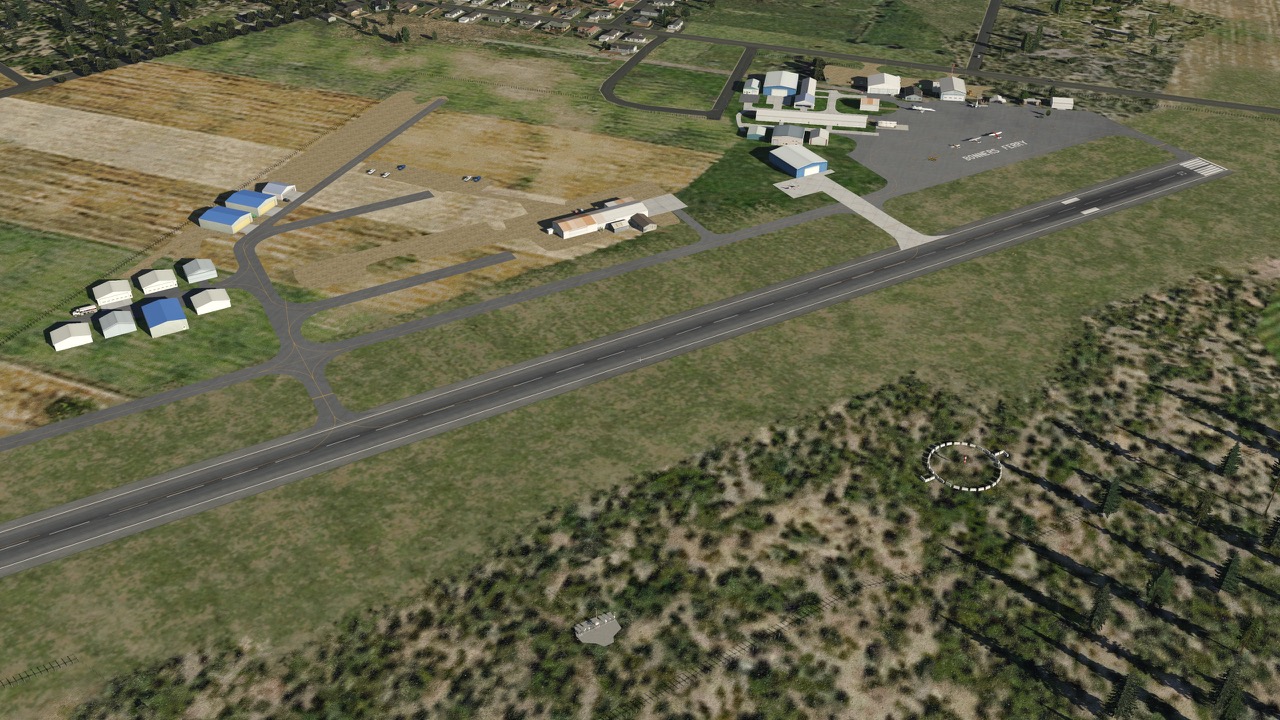
    I had a viewer request to fly into Bonners Ferry, located in far Northern Idaho, nearly to the Canada border. Finding the default XP11 scenery lacking, I decided to design some. You may download it here at X-Plane.org. It’s a very pleasant strip, overlooking the town of Bonners Ferry and the Kootenai river from its plateau setting. From the Boundary County web page:

    The Boundary County Airport lies two miles northeast of Bonners Ferry, Idaho, providing a scenic destination spot or resting point for all flyers. Some of the services available at the airport include overnight hangars for corporate aircraft, courtesy/rental car, pilot’s lounge and supplies, flight instruction and airframe and power plant repair and maintenance and one restaurant within walking distance; the Three Mile Cafe.

    ORBX makes a fantastic version of this field for FSX/P3D, and this is no where near that level of quality. Still, I took a while on this, and like it very much. I hope you do, too.

    To use this scenery you will need these libraries:

    • OpensceneryX
    • MisterX
    • x_Prefab 6 (the library only, not the entire package)

    Thanks for looking and happy flying.

    OTG65S - 2

    OTG65S - 3

    OTG65S - 4

    OTG65S - 5

    OTG65S - 6

    OTG65S - 7

    Share this:

    • Share on X (Opens in new window) X
    • Share on Facebook (Opens in new window) Facebook
    • Email a link to a friend (Opens in new window) Email
    • Print (Opens in new window) Print
  • Why I Switched To X-Plane 11

    2017-01-21

    |

    Uncategorized

    I was asked that question today in the YouTube comments, and I thought it was a good one. Why DID I switch to X-Plane 11?

    I use a Mac at home, and have had X-Plane on my system for at least 10 years. I flew FSX before that, but with Mac X-Plane was the only option and I liked it. But when it came time to build the Basement Sim I knew that I’d be looking at the most powerful possible rig I could afford, and that rig would almost certainly be running Windows. And so it was, and with that being the case, I was left to choose between FSX and P3D. I picked P3d because it’s a platform under ongoing development.

    And I love P3d. Let’s be clear about that. It’s an awesome package, and with ActiveSky and ORBX and REX it’s astonishingly good. But I kept hearing about X-Plane from simmers I respect, and more so, I noticed that many of the real pilots I follow online who also sim were X-Plane advocates. So maybe six months back I downloaded X-Plane 10, and it lasted on my system for about 10 minutes. As soon as I figured out that I could not easily run with multiple screens it was clear X-Plane 10 was a non-starter for the sim. So I happily stayed with P3D.

    But when the X-Plane 11 beta was released I learned that it had native multi-monitor support, so I decided to give it a go. I was very taken with several aspects of the X-Plane 11 experience. The fast loading time and modern and easy-to-use user interface were great. The default scenery had come a very long way and looked great. And it never crashed. But initially, what really got my attention were the graphics. Without even full sliders the visuals in X-Plane 11 – the night lighting, the reflections, the way light moves about the scenery – were stunning. And thanks to X-Plane being 64 bit, there was no scenery popping, or scenery resolving into a less-blurry resolution, to break the immersion.

    I loved what I saw, and it was enough to get me to spend some time with it, and in that process I was very taken with the X-Plane flight models. X-Plane models flight in a fundamentally different way than FSX or P3D, and at least to me, the way the airplane moves both on the ground and in the air feels much more realistic than in P3D. That means something to me as a student pilot, but it means a lot as a simmer, too – I want the sim to be as immersive as possible, and with X-Plane 11 it was as immersive as I’d seen it. That was enough for me to figure out a solution to the nettlesome (and frankly disappointing) fact that X-Plane does not allow separate eyepoints for each monitor. And once I had that nut cracked I was sold.

    I never intended to switch to X-Plane 11. I was just checking it out based on the passion demonstrated by other simmers and pilots I follow online. But once I used it, I stayed with it. And with about a month of time under the belt, I continue to stay with it for the UI, stability, and flight models as noted above. But I’ve also come to love several other aspects of the X-Plane ecosystem:

    • Great default aircraft with excellent flight models
    • Tons and tons and tons of excellent freeware aircraft, airports, scenery, and plugins
    • Free HD mesh
    • The simplicity of installing (and uninstalling) add-ons and managing the file system
    • No configuration tweaking
    • Did I mention no configuration tweaking?
    • Thanks to xEnviro, great real-world weather
    • The ability to easily create and share my own airport scenery
    • The ability to create photorealistic scenery
    • The ability to have autogen appear on-top of said photorealistic scenery

    And finally, the ability to access the full breadth of the PCs RAM can’t be overstated.

    I still have P3D on my system. I do miss its great AI aircraft from time to time, and I do love ORBX. But I booted it up a few weeks ago with a friend, and in comparison to using X-Plane it felt archaic. I even got an OOM to boot. I will keep following P3D, will fly it from time to time, and eagerly await the 64 bit version that will certainly come this year. But unless that version includes a significant re-write of the now ancient Microsoft code, I’m not certain that 64 bits in P3D will counter and exceed the things I enjoy so much about X-Plane. In fact, I’m nearly certain they won’t. I will hope to have Lockheed Martin prove me wrong, because if they do, it will mean only spectacular things for our community and our hobby. But in the meantime you will probably find me in X-Plane, cruising over some stunning photorealistic scenery, enjoying the flight model, and probably, talking to the controllers on PilotEdge.

    Share this:

    • Share on X (Opens in new window) X
    • Share on Facebook (Opens in new window) Facebook
    • Email a link to a friend (Opens in new window) Email
    • Print (Opens in new window) Print
  • KTHM Thompson Falls, MT (X-Plane)

    2017-01-21

    |

    Custom Scenery

    I had a viewer request to fly from KTHM, and looking at the default X-Plane scenery I decided to update it with something better. So here is KTHM for X-Plane 10.5+, and you may download it here. For this scenery to work properly you will also need the OpenSceneryX, JBHangars, and MisterX libraries. You will also need to download and place this folder in your custom scenery folder, and then place the JBHangars library inside it – this will make it so X-Plane sees the hangars. You only need to do this once. Thanks and I hope you like the scenery.

    KTHM8

    KTHM1

    KTHM2

    KTHM6

    KTHM7

    KTHM5

    Share this:

    • Share on X (Opens in new window) X
    • Share on Facebook (Opens in new window) Facebook
    • Email a link to a friend (Opens in new window) Email
    • Print (Opens in new window) Print
  • A Video Update (And Quick Night Hop Around KSLC)

    2017-01-21

    |

    Videos

    Share this:

    • Share on X (Opens in new window) X
    • Share on Facebook (Opens in new window) Facebook
    • Email a link to a friend (Opens in new window) Email
    • Print (Opens in new window) Print
  • Back In The Real Bird

    2017-01-19

    |

    Real World Instruction

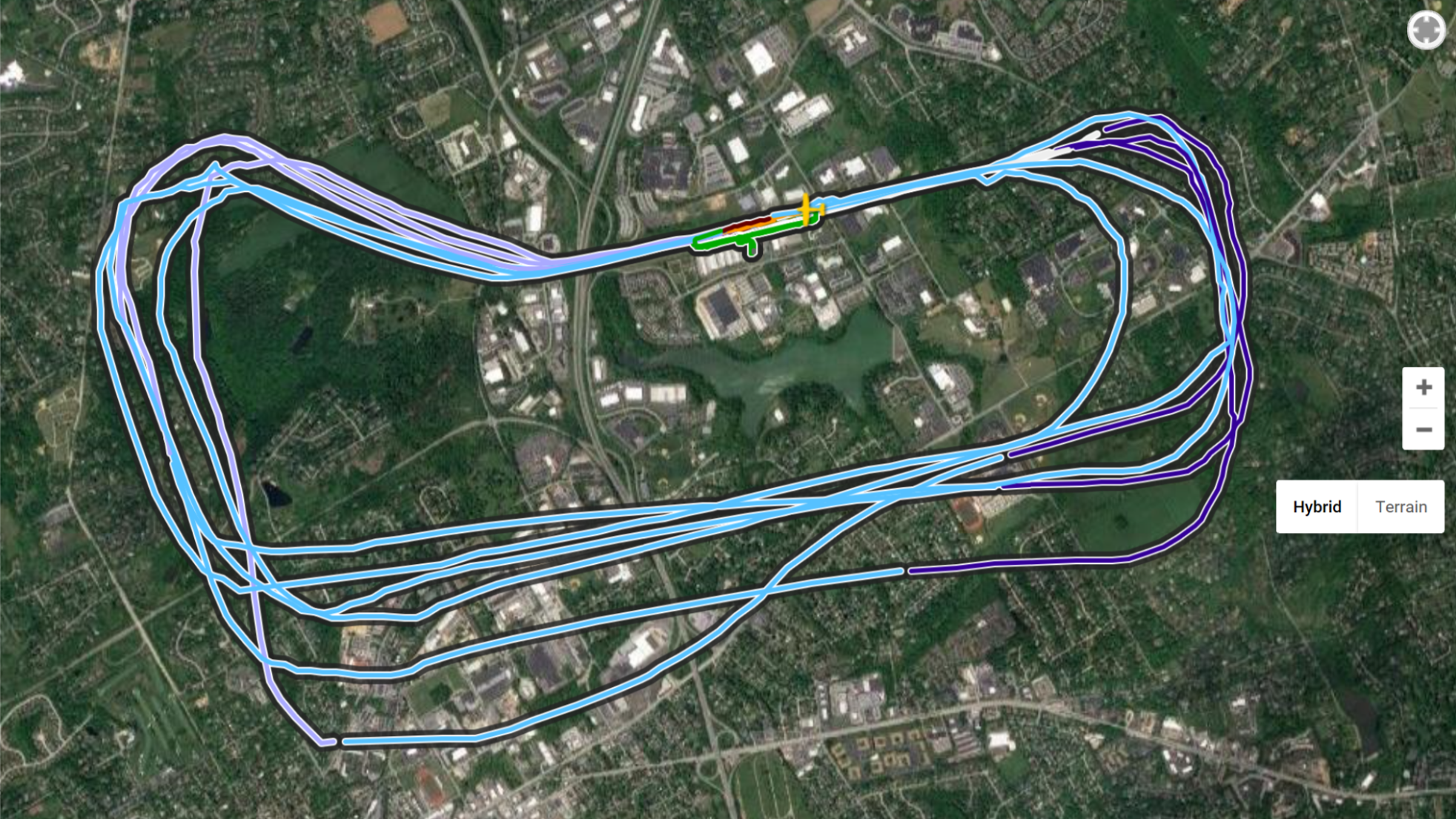
    I had a flight lesson today and it was the first time up since December 6th. I was home for much of December, and had visions of completing the next several flights from the curriculum, but weather intervened. It was just not good flying weather for several weeks in these parts. Since the beginning of the year I’ve been on the road quite a bit, so I was excited today to finally get back to the field and go up. Ceilings were too low for maneuvers, and that was just as well because it’s pattern work that I wanted to do to knock the rust off.

    And there was some rust, as the below flight track shows. My takeoffs and landings were actually very solid, but the pattern itself was shaky at first. Those first two legs that are way out off track from the others were the first two laps, and after that I settled in. I flew an extended downwind, a turn-to-final, and a power-off landing in three of final four laps, which is why the base legs vary a bit.

    pattern

    So I feel back in the groove, and it’s amazing how relaxed I am after being up. Flying an airplane requires real focus, but it’s a focus that relaxes me, and I love it. Next flight will be a long cross country with my CFI: Brandywine to Harrisburg to Wilmington to Brandywine. We probably won’t get that on the books for a week or so, and I look forward to planning, simulating, and then making that flight.

    Share this:

    • Share on X (Opens in new window) X
    • Share on Facebook (Opens in new window) Facebook
    • Email a link to a friend (Opens in new window) Email
    • Print (Opens in new window) Print
Previous Page
1 … 29 30 31 32 33 … 59
Next Page

On The Glideslope

  • Instagram
  • Facebook
  • X

Loading Comments...

You must be logged in to post a comment.