On The Glideslope

  • How To
    • How I Configure For VR In X-Plane
    • How To Have Dual Controls In X-Plane
    • How To Configure X-Plane 11 For Multiple Screens
    • How To Create Custom Cameras In P3D
    • How To Get Started With X-Plane 11
  • Resources
    • Schematics
    • Center Console Plans
    • Basement Sim Video Tour
    • Screen Configurations
    • A2A LVAR List PDFs
    • How To Talk ATC
    • Cessna 172 Cabin Dimensions
    • USB u0026 Saitek
  • Reviews
  • What’s In The Sim
  • About OTG
    • About OTG
    • The Construction Journey
  • Oculus Fourth Impressions

    2018-01-03

    |

    Virtual Reality

    Today I did two things with the Rift: flew in DCS (Digital Combat Simulator), and flew in a Piper Warrior II (my old trainer) from my old home strip (KOQN) in X-Plane 11. Thoughts on each …

    DCS was great. Easy setup and ran right out of the box. I only have the default aircraft and areas, and nothing in the default fighter is clickable, but the headset and controllers worked fine. Graphics were great with no stutters or juddering. The effect is jaw-dropping, and I felt a little shudder of spatial disorientation more than once. Looking around the cockpit is an incredible experience, and I can’t wait to get more into DCS in the coming weeks. Expect more posts about that here soon.

    But while the DCS flights were fun, it was the pattern work in the VR headset at my old strip, in a Warrior II with a 3D cockpit like the one I used to fly there, that was most interesting. I flew three laps of the pattern. All I can say is that it was almost just like the real thing, and a MUCH more realistic experience than flying those patterns in the real basement sim cockpit. Why was this? First was still being able to use a physical yoke and pedals. For me being able to physically “hold onto the airplane” is important to the realism of the flight. Second was having the VR cockpit panel and controls very well aligned to the physical yoke (using the process I described in this post), which meant the visual matched the expected physical quite well. Third was having a quality, 3D, clickable cockpit of the same airplane I used to fly. I could look down and pull up the virtual flaps handle, just like I used to. In fact, the virtual cabin was so good that I used the virtual throttle rather than my real one.

    But most important was the sense of space, distance, and perspective that the 3D virtual environment affords. Very often in my physical cabin I would look out the left or right-hand window (right for KOQN as it’s right traffic) and the field just would not look the same as in the real world – it would not look as high, or have quite the right perspective. While the pattern is still much easier to fly in the “one front, two sides” monitor configuration I have in the sim, it never quite looked the same as real-world. I couldn’t really put my finger on this before, but now having flown in VR the same pattern that I flew so many times in real life, it’s absolutely obvious to me. For all intents and purposes, flying the pattern in VR was almost exactly like it was in the real world – the only exception being that the Warrior in the sim climbs a bit quicker than the real one, and I flew the pattern a bit faster than in the real world (abeam the numbers came up a bit faster than it seemed to in the real bird). But especially with orthophotos underneath, flying that pattern was almost just as I remembered it, as was the landing.

    Based on that experience I have come to a pretty interesting conclusion – for pattern work, and probably maneuvers as well, I think the VR headset with a physical yoke and pedals probably provides a better simulated training experience than the physical cabin. I know, and I can’t quite believe I’m writing that. Now let’s be clear – I’m not anywhere near ready to sell the cockpit, and I’m going to fly the VR on PilotEdge later today to see how workable the radios really are. But those laps of the pattern in the headset really struck me. It was so much like the real thing, with a cabin and panels like the real thing, and scenery based on the real thing, and performance close to the real thing, that for me I have to believe it would be better virtual practice for pattern work and maneuvers (at least) than the basement sim. It may be for emergency procedures as well, and I’ll run some to see how it feels (although there will be no checklists to hold, at least not so far). We’ll see how things continue over the next couple of days, but it has me shaking my head yet again.
    Share this:

    • Share on X (Opens in new window) X
    • Share on Facebook (Opens in new window) Facebook
    • Email a link to a friend (Opens in new window) Email
    • Print (Opens in new window) Print
  • Oculus Third Impressions

    2018-01-02

    |

    Uncategorized

    I upped the OTT Supersampling to 1.6 and it seems to have not hurt performance at all and makes things sharper. Things are running very smoothly on the settings described in the prior post, and I was able to run things at night with HDR and basic AA in the sim at about 45 FPS. HDR night lighting on the ramp at KSBP blew my MIND. SOOOOO good looking! A few judders, but so what? I’ll turn HDR off during the day and on at night.

    I also did a quick flight in the default MD 80. HOLY COW! Such scale! So many things to look at in the cabin! And not any harder on frames than the 172, really. It was so cool it’s hard to describe. Now that things are dialed in my mind is officially blown. And this is only the first beta. It’s pretty hard to believe …

    UPDATE: Seriously. I am sitting here shaking my head over this. It’s really pretty astonishing …

    Share this:

    • Share on X (Opens in new window) X
    • Share on Facebook (Opens in new window) Facebook
    • Email a link to a friend (Opens in new window) Email
    • Print (Opens in new window) Print
  • If You’re A Parent …

    2018-01-02

    |

    Uncategorized

    … you gotta love this (from reader Peter).

    Share this:

    • Share on X (Opens in new window) X
    • Share on Facebook (Opens in new window) Facebook
    • Email a link to a friend (Opens in new window) Email
    • Print (Opens in new window) Print
  • Oculus Second Impressions

    2018-01-02

    |

    Uncategorized

    Spent some time this morning updating settings, thanks in part to James’ guidance here. The result is something quite flyable, with me getting around 90 FPS in the sim at Mr. X’s KSLC with autogen on the second-highest setting (which is where I usually have it for non-VR flight, and which translates into 45+ FPS in the VR headset). Here’s the process and settings:

    • I downloaded the latest NVIDIA driver.
    • I went into the SteamVR settings and:
      • In the Developer settings turned the Supersampling down all the way.
      • In the Performance menu unchecked “Allow asynchronous reprojection and Allow interleaved reproduction.”
    • I downloaded the Oculus Tray Tool (here) and set Supersampling to 1.3 and turned off ASW.
    • I used Project Lasso (here) to dedicate X-Plane to cores (real and virtual) 2-7 and all the Oculus and SteamVR apps to cores 0 and 1. I also used Lasso to mark XP and the VR programs as high priority and high performance programs. There’s a nice video on this here, and note that “game mode” is now “high performance” mode in Lasso.
    • In the sim I set reflections off, shadows off, lighting effects to the first notch below HDR (as HDR gives us two suns in VR at the moment :-), and autogen to the second notch from the top. I also have AA set to 8x, as lower settings actually seem to give me more judders.
    • I turned of xEnviro as it only works in one eye. This also saves me some frames.
    • I did nothing in NVIDIA Control Panel, running only with stock XP settings there.

    I also started with a fresh set of XP preferences. All told, this is giving me nice performance. KSLC is a very taxing airport, and sometimes when I move my head quickly I get a lag or a few judders, but overall it’s really cool. I also haven’t played with weather yet, and that will probably cause me to drop my AA settings. I did fly around in an F-18 and it was harder on the performance, so I will expect less of complex aircraft. But looking around that cockpit at 35,000 feet was nothing short of amazing. I can’t wait to do a carrier approach.

    In terms of screen setup, I learned that if you press the W key while in the cockpit X-Plane will center the view wherever your headset is pointed. This is an easy fix if you are a bit at an angle from your yoke. After getting my view pointed in the right direction, I then used the keyboard keys to move the viewpoint around so that my real-world yoke and glare shield were  about the same size, height, and distance to my eye in the headset as they are to my eye in the real world. This put the real-world yoke about where it should be, and the throttle and mixture about where they should be … and led to the amazing effect of putting one of the VR controllers on the VR glare shield and having it sit there. Same with the seats – they are in the VR about where they are in the sim, which makes it easy to put something there without taking off the headset. I have some things to do this afternoon and then I’m going to give it some more time, including upping my Supersampling in OTT to 1.6.

    Share this:

    • Share on X (Opens in new window) X
    • Share on Facebook (Opens in new window) Facebook
    • Email a link to a friend (Opens in new window) Email
    • Print (Opens in new window) Print
  • Oculus First Impressions

    2018-01-01

    |

    Uncategorized

    I started to set it up mid-afternoon and spent a few hours getting things going. I’m doing this in the cockpit so I can use my yoke and pedals, and the sensor setup seems to have gone pretty well actually, given the cramped confines. I have one sensor at the top front left corner pointed at the pilot’s seat, and the other at the top back right corner pointing at the panel. I still have quite a bit of work to do to get the visual alignment correct so that when I’m sitting in the chair using the yoke things match up well with the X-Plane visuals, but it’s a starting point.

    As for the visuals … things are juddery. I’ve been tweaking settings per what I can find online, but so far, I’d call it un-flyable for anything other than testing so far. I have things pretty smooth, but there are judders and lags and it’s just not where it needs to be. Looking at the XP graphics settings (which I’ve turned down a lot) I still had two monitors set to show the sim even though they were turned off physically. I deactivated them. Next I’ll delete preferences, and do some research on how to use Lasso to set CPU affinities and how (and if) to use hyperthreading. Doing all that stuff is one of the reasons I left P3D, but so be it. Candidly, the 908ti still holds it own as a beast of a card. Mine runs 30-50 FPS running four screens in the physical cockpit and when I only run one screen I get 90 FPS. It should be able to run the Oculus at 45. So I have more learning and tweaking to do.

    THAT ALL SAID … I get it now with VR. Just the Oculus training program had me grinning ear-to-ear. And once I had the sim running at least fairly well, it blew my mind to look out the left side of the windshield and see all the wing, and it REALLY blew my mind to open the door in flight and stick my head out the door and look down at the left-side gear. And when I set things to nighttime and all the stars came out? WOW.

    From a safety and training perspective will it replace my physical sim? No. At least, not yet. It’s too impractical to manage charts, write down clearances, etc. But I can already tell you where the Oculus will be helpful from a practical training perspective: pattern work. I did one landing in it and it was much more like the real thing. I can’t wait to get it dialed in and get started.

    In the meantime, I’ll be starting a Virtual Reality forum in the forums section so VR users can share tricks and settings …

    UPDATE: That forum is up and running here.

    Share this:

    • Share on X (Opens in new window) X
    • Share on Facebook (Opens in new window) Facebook
    • Email a link to a friend (Opens in new window) Email
    • Print (Opens in new window) Print
  • Oh Boy

    2018-01-01

    |

    Uncategorized

    Share this:

    • Share on X (Opens in new window) X
    • Share on Facebook (Opens in new window) Facebook
    • Email a link to a friend (Opens in new window) Email
    • Print (Opens in new window) Print
  • M1 Sims

    2017-12-31

    |

    Other Great Home Cockpits

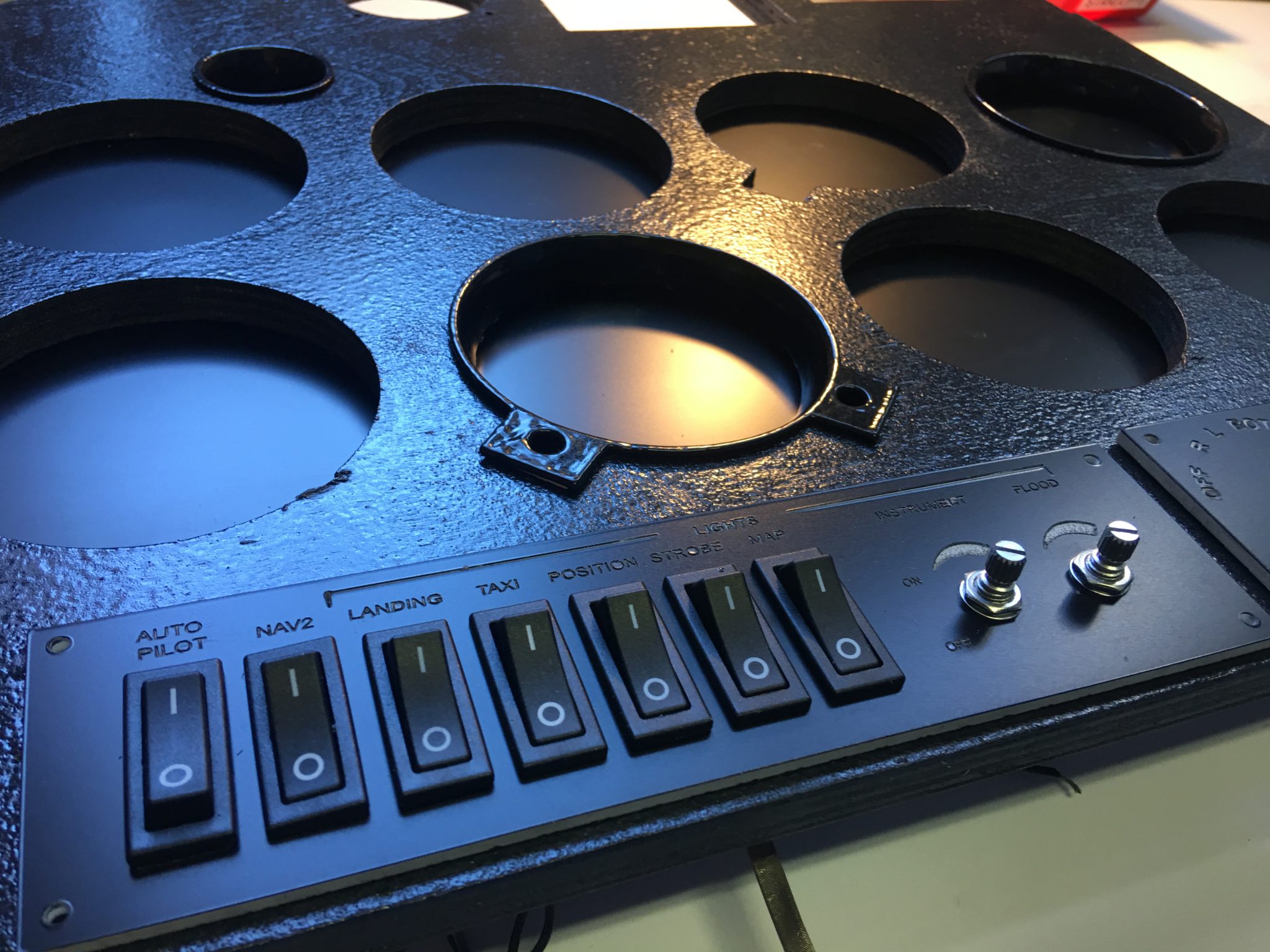
    I got a nice note a few days back from B.D. who has been working on his home cockpit and real-world flight training. He has a nice rig going, and is posting some great stuff at his blog, M1 Sims. It’s worth checking out and bookmarking. And look at the quality of this panel work!

    IMG_9527

    Share this:

    • Share on X (Opens in new window) X
    • Share on Facebook (Opens in new window) Facebook
    • Email a link to a friend (Opens in new window) Email
    • Print (Opens in new window) Print
  • To Heck With The Flight Sim …

    2017-12-30

    |

    Uncategorized

    … with the Oculus Rift I’m doing this! I’ve had DCS World installed on the sim PC for some time but haven’t had satisfactory results with the multi-screen setup. But now … honestly, I can’t wait.

    Share this:

    • Share on X (Opens in new window) X
    • Share on Facebook (Opens in new window) Facebook
    • Email a link to a friend (Opens in new window) Email
    • Print (Opens in new window) Print
  • Two Front Panel Masks At Ebay

    2017-12-30

    |

    Uncategorized

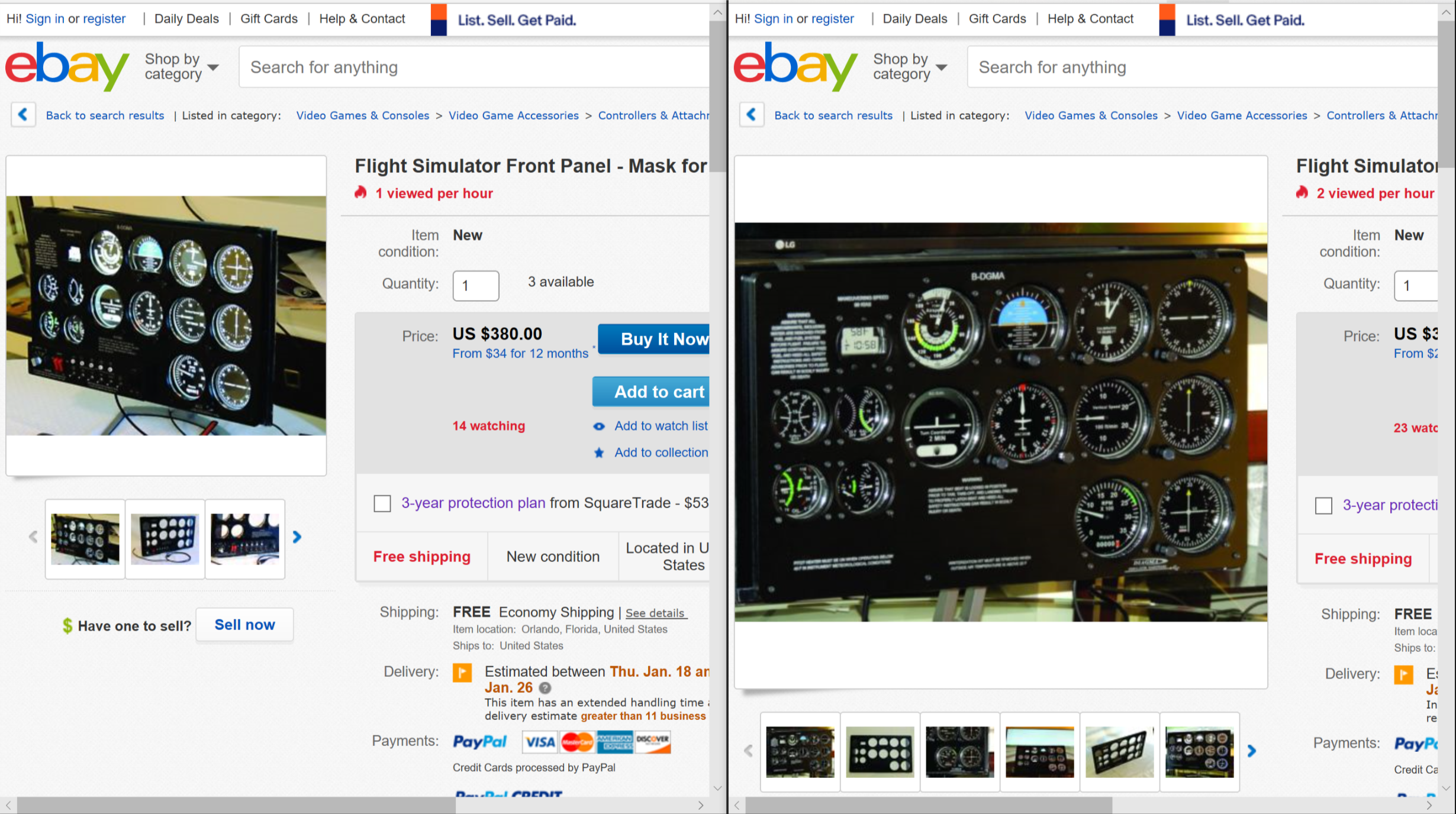
    I check Ebay from time to time just to see what’s out there. Two items caught my eye today, both of which are front masks for a monitor that one could use to make a realistic six pack of gauges using Air Manager or other software. Both are listed as new, and I think at least one of them is originally from Custom Sims. Here’s the listing for the panel with switches, and the one without.

    ebay

    Share this:

    • Share on X (Opens in new window) X
    • Share on Facebook (Opens in new window) Facebook
    • Email a link to a friend (Opens in new window) Email
    • Print (Opens in new window) Print
  • I Took The Plunge

    2017-12-30

    |

    Uncategorized

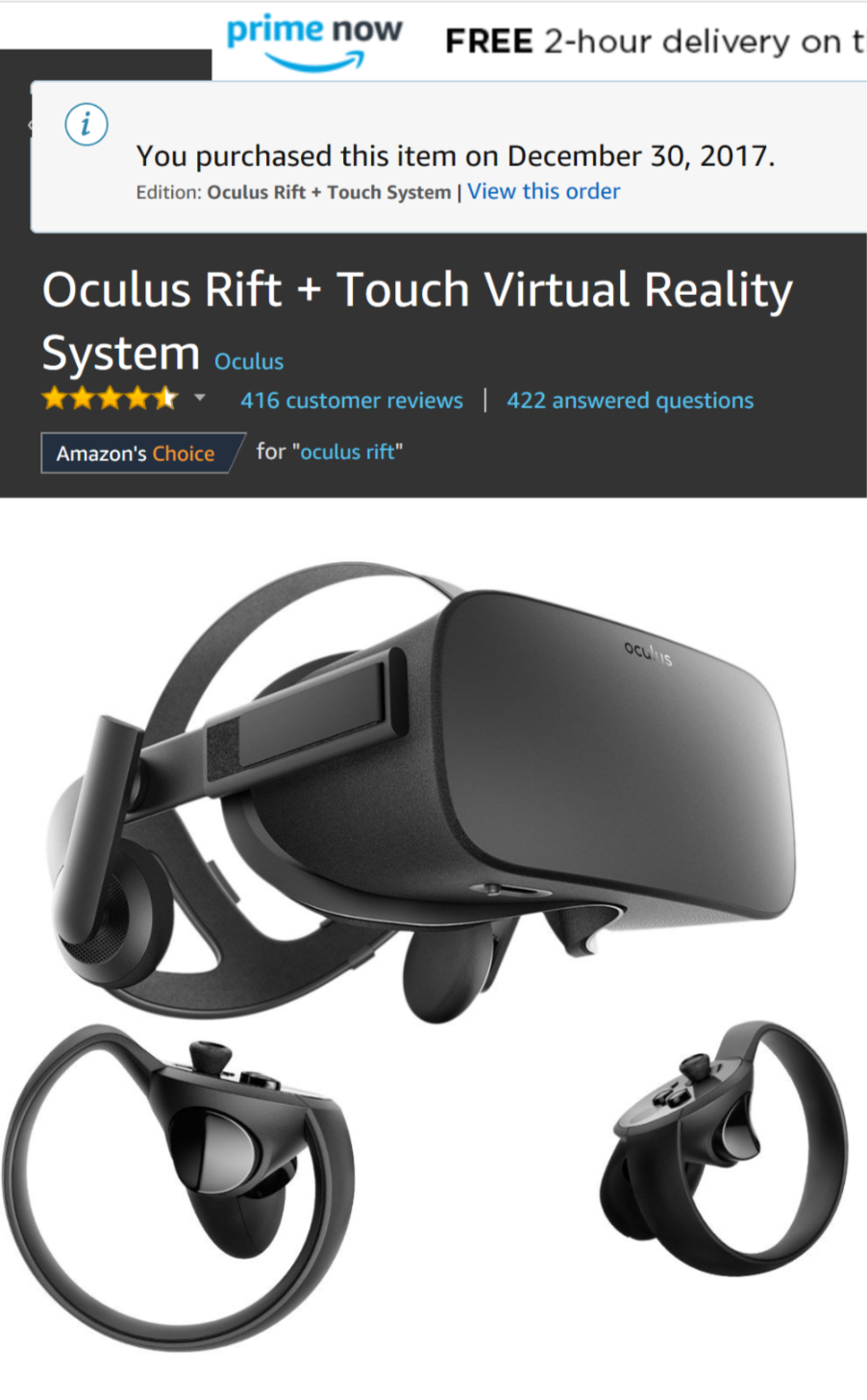
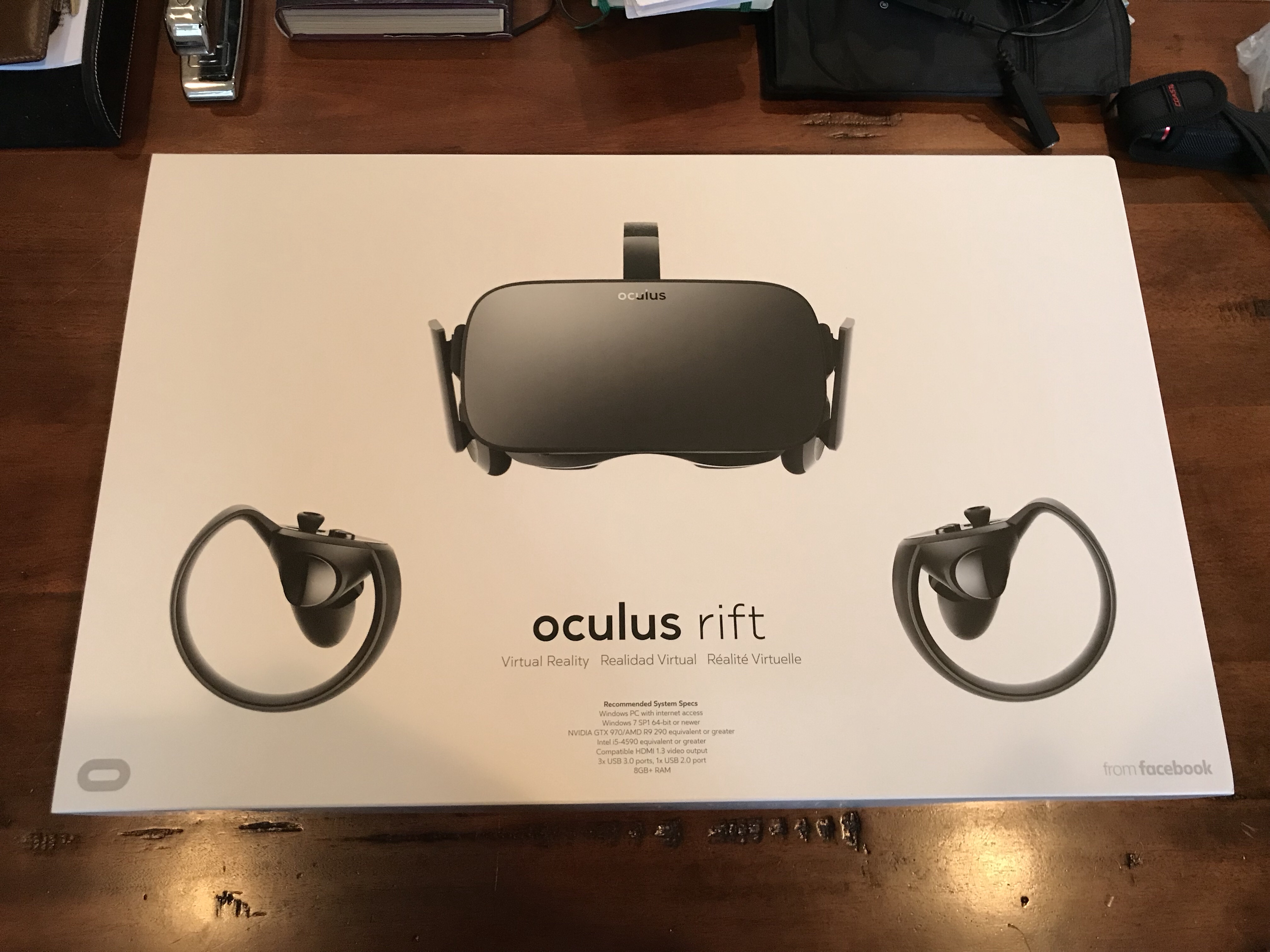
    This is my Christmas present to myself. Now that X-Plane 11 has native VR support I figure it’s time to see what virtual reality in the sim is all about. I should have it up and running the afternoon of January 1st and will report back then. This video suggests it’s going to be a pretty interesting experience.

    Update: It’s been delivered! Unfortunately, I’m out of town for another two days!

    rift

    Share this:

    • Share on X (Opens in new window) X
    • Share on Facebook (Opens in new window) Facebook
    • Email a link to a friend (Opens in new window) Email
    • Print (Opens in new window) Print
Previous Page
1 … 13 14 15 16 17 … 59
Next Page

On The Glideslope

  • Instagram
  • Facebook
  • X

Loading Comments...

You must be logged in to post a comment.