On The Glideslope

  • How To
    • How I Configure For VR In X-Plane
    • How To Have Dual Controls In X-Plane
    • How To Configure X-Plane 11 For Multiple Screens
    • How To Create Custom Cameras In P3D
    • How To Get Started With X-Plane 11
  • Resources
    • Schematics
    • Center Console Plans
    • Basement Sim Video Tour
    • Screen Configurations
    • A2A LVAR List PDFs
    • How To Talk ATC
    • Cessna 172 Cabin Dimensions
    • USB u0026 Saitek
  • Reviews
  • What’s In The Sim
  • About OTG
    • About OTG
    • The Construction Journey
  • Finding My Inner Warrior

    2016-06-21

    |

    Real World Instruction

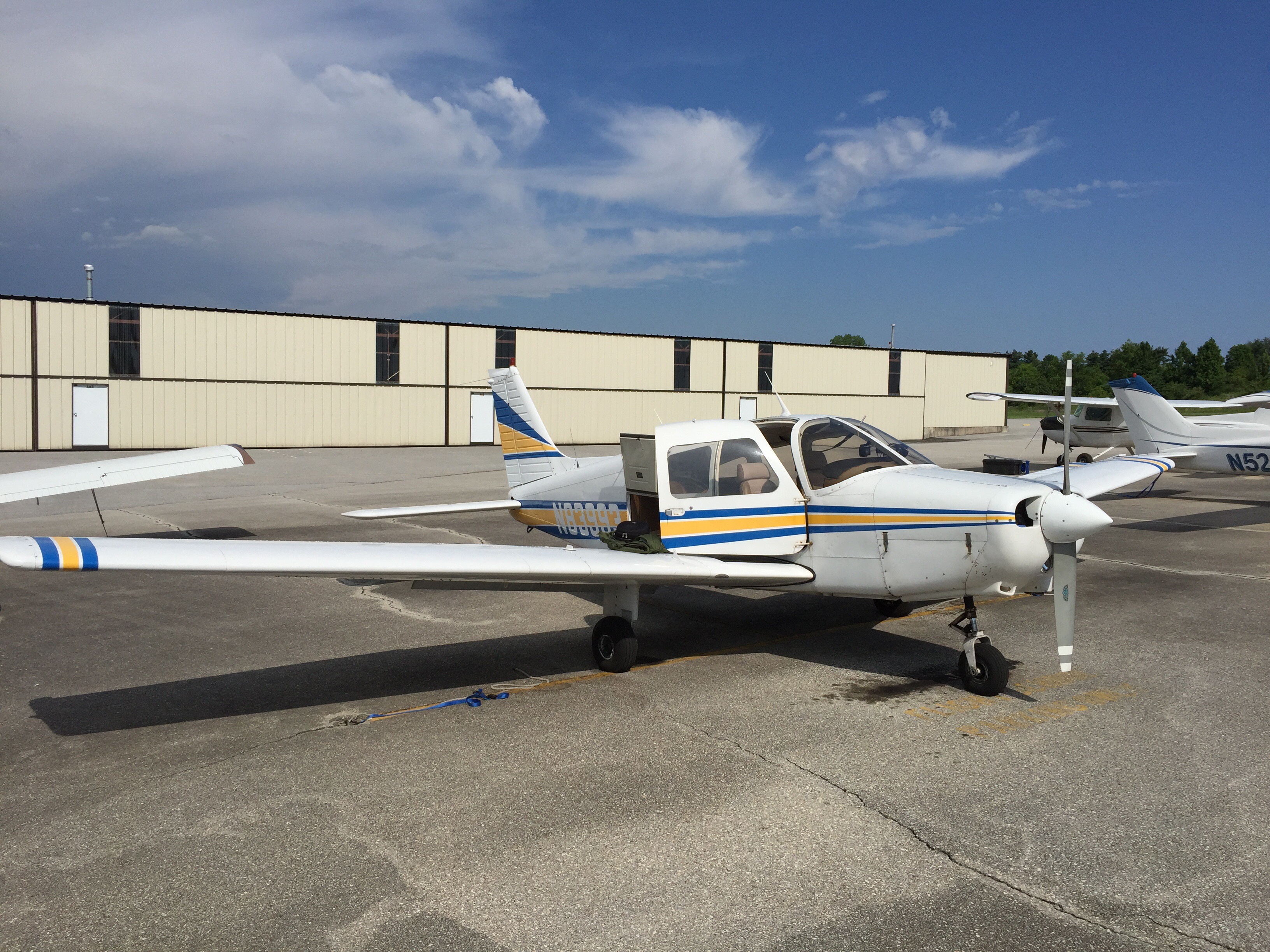
    I’ve been told by several folks that early in my flight training I should fly both high- and low-wing aircraft so I could compare them and then settle on one for the remainder of my training. So today, after getting about six hours to date in a Cessna 172 (high-wing) I took a lesson in a Piper Warrior II (low-wing). Here’s the bird …

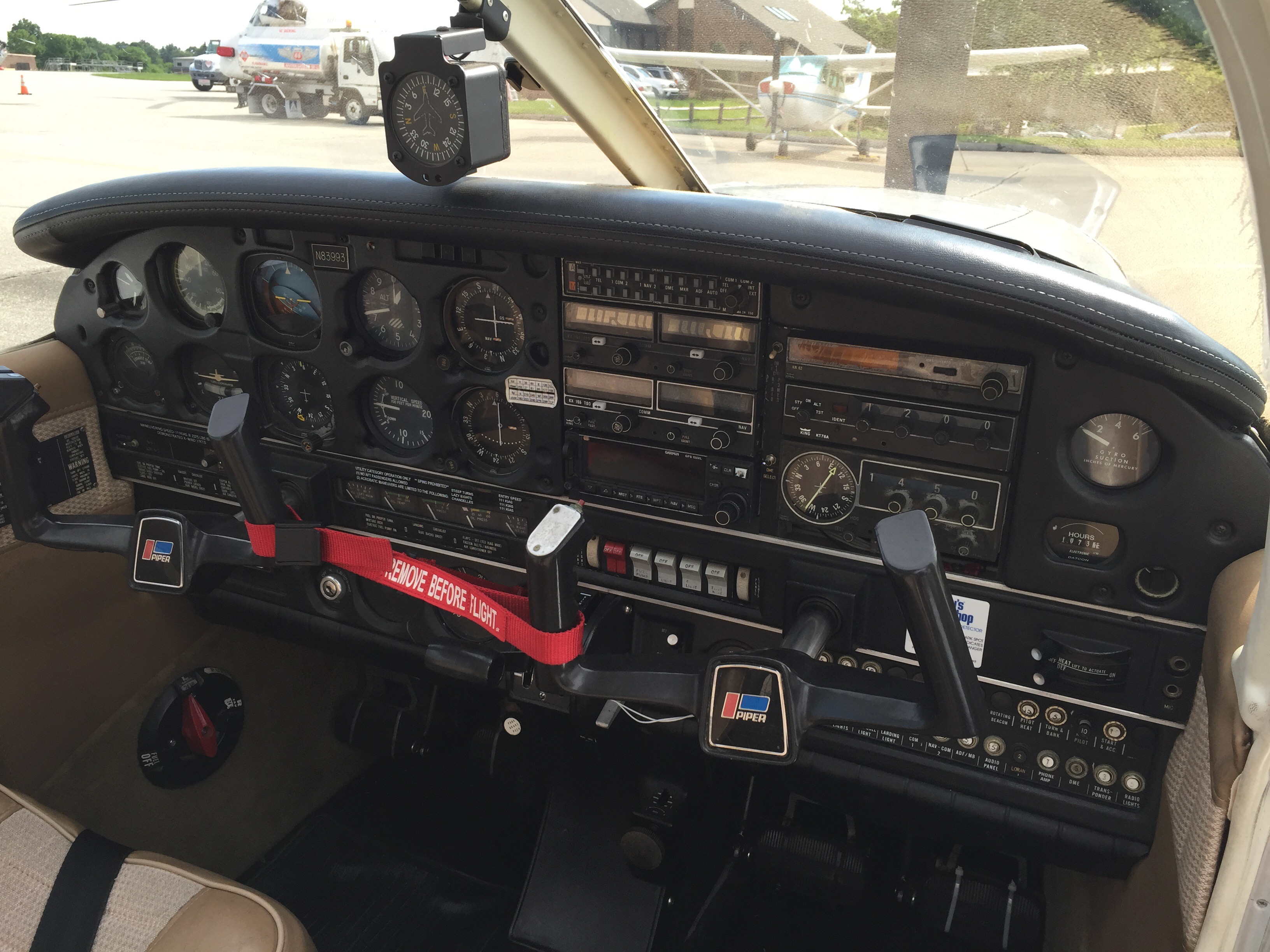
    The verdict is that I really liked the Piper. While it’s a smaller cabin, I felt more comfortable, in particular because the Piper feels more like sitting in a car while the Cessna can feel like sitting in a truck. Visibility was better for me, both of the airfield in the pattern and up front over the cowling. Here’s the view up front:

    The Piper moves around a bit more, and I needed to use much more rudder (or so it seemed) than with the 172, especially right rudder on takeoff. And while low-wing aircraft experience more “ground effect” than do high-wing aircraft, meaning they can float a bit longer when landing and take a bit longer to climb off the field on takeoff, for me the Piper was easier to land than the Cessna. Even though it was my first time in the airplane, I felt every landing I had today was better than those last Saturday. Maybe that’s the effect of experience, but maybe not. Either way, I felt a lot more effective landing today, even with a slight crosswind.

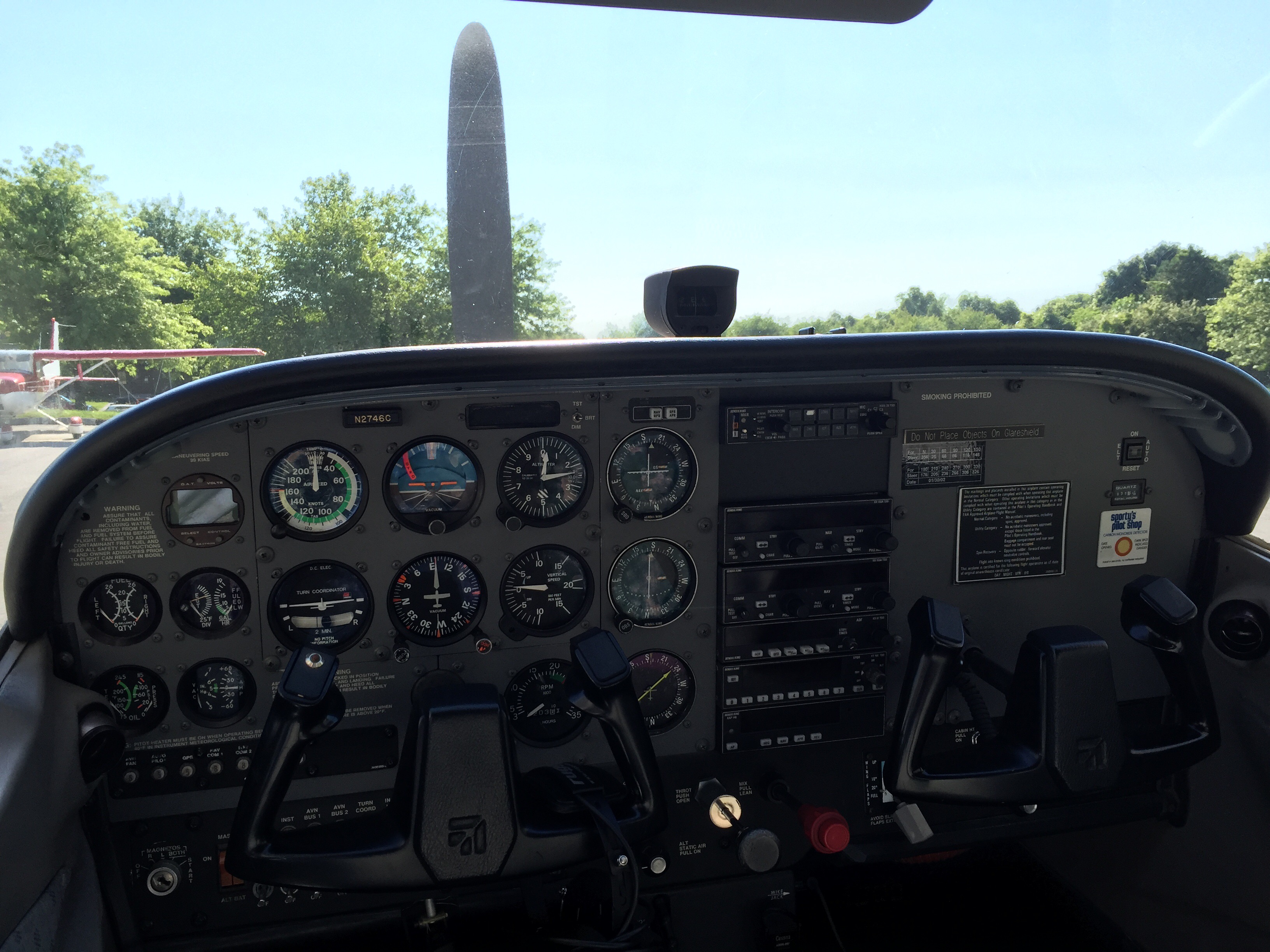
    So I’m sticking with the Piper. The only immediate downside is that the basement sim is laid out as a Cessna! But that’s okay, I can still fly a Piper in the sim and work Piper checklists. I just have to remember that the flaps in the Piper are a big manual handle like an emergency brake and not that little lever like in the 172 …

    Share this:

    • Share on X (Opens in new window) X
    • Share on Facebook (Opens in new window) Facebook
    • Email a link to a friend (Opens in new window) Email
    • Print (Opens in new window) Print
  • Review: Flight Sounds FSX-DUAL Aviation Headset Adapter

    2016-06-20

    |

    Product Reviews

    For the first few months I had the basement sim I had one headset, which connected via a traditional mic input on the back of the PC. I knew that I’d want to be able to fly with two folks in the simulator, and I liked how FlightSim Liberty had an intercom system in his sim and I wanted to model that. My original solution was to use two USB inputs (which allows the PC to see each headset as an individual sound card, which is helpful for managing simulator sounds), one connected to a Saitek headset via a USB-to-traditional mic/sound converter, and the other connected to a Rugged Radios aviation headset via a USB-to-aviation jacks converter. While this worked OK, this solution does not allow real-time crosstalk across the headsets, so there is always a brief (and distracting if not maddening) delay when the two folks in the sim talk to each other.

    I researched a number of USB-based solutions, and ultimately settled on the fabulous FSX-DUAL aviation headset/USB adapter from Flight Sounds.
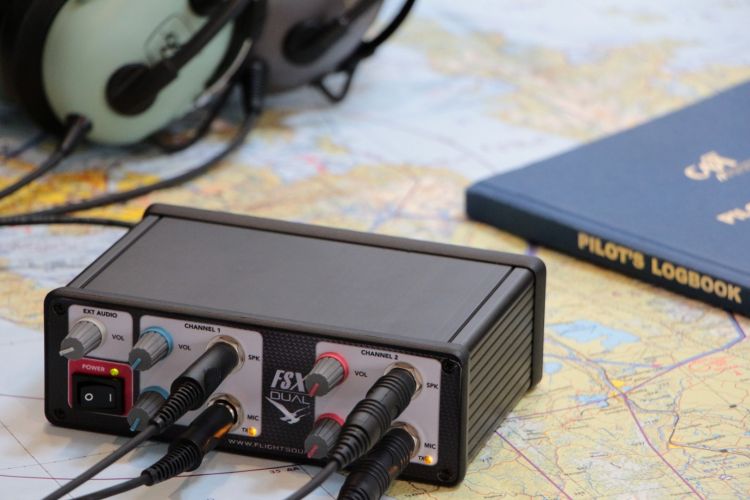
    FSX DUAL with David Clark 10-76 (Large)

    This is a very functional piece of simulation equipment:

    • Volume and squelch controls for two channels
    • Separate external audio volume control, for controlling the sound of the sim, PilotEdge, etc.
    • Push to talk switch support for each channel (although I’ve configured a button on my yoke for PTT), with a master PTT switch to override the PTT functionality and LED indicators for push to talk confirmation for each channel
    • USB 1.1 and 2.0 compatible, with no external USB power needed (great for those of us with already-loaded USB hubs)
    • Plug and Play with Windows 10/8/7/Vista/XP and Mac OS X
    • Two sets of standard General Aviation headset connectors (PJ-068 and PJ-055B) and support for headset impedances of 100 to 600 ohms (mono and stereo)
    • Zero delay voice feedback

    These last two features are what I was really looking for. First, the FSX-DUAL lets me use my two real-world aviation headsets in the sim, one of which I also use for my real-world flight training. They look, feel, and sound great, and because of their impedance they impart that great “aviation mic” sound when talking to someone else in the sim or a controller on PilotEdge. Second, there is absolutely zero delay across the two headsets. All communication is real-time, and it sounds fantastic. Finally, the “plug-and-play” promise delivers. On my Windows 10 system I simply plugged the FSX-DUAL into a USB port, plugged in the headsets, and was off and running. No driver downloads, no configuration hassles. The Windows audio settings see the DUAL as a headset with mic and I can use and configure them just like any other. It all works great.

    As do the people at FSX-DUAL. As near as I can tell, the company is based in New Zealand. The ordering and shipping process was simple, and when New Zealand post for some reason returned my unit to them without delivery here in the states, Kate from Flight Sounds let me know, launched an investigation, and re-shipped the unit with track-and-trace free of charge. She was as friendly and as responsive as could be. Truly first class.

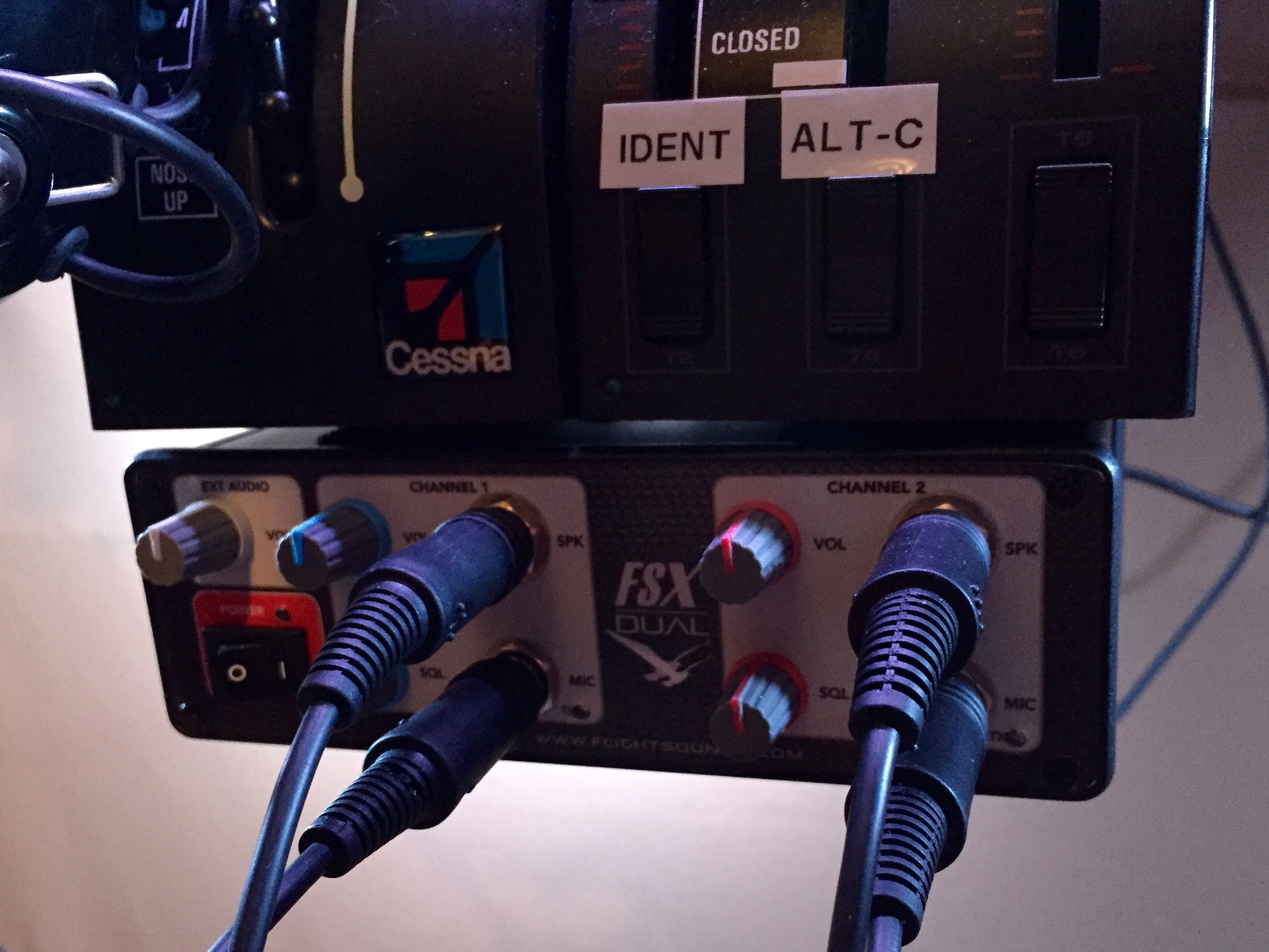
    Finally, the unit looks great. If you’re building a sim that you want to look real-world, the FSX-DUAL fits right in. Here are some shots from the basement sim, where the DUAL sits under the trim wheel and throttle quadrant (click them to enlarge them):
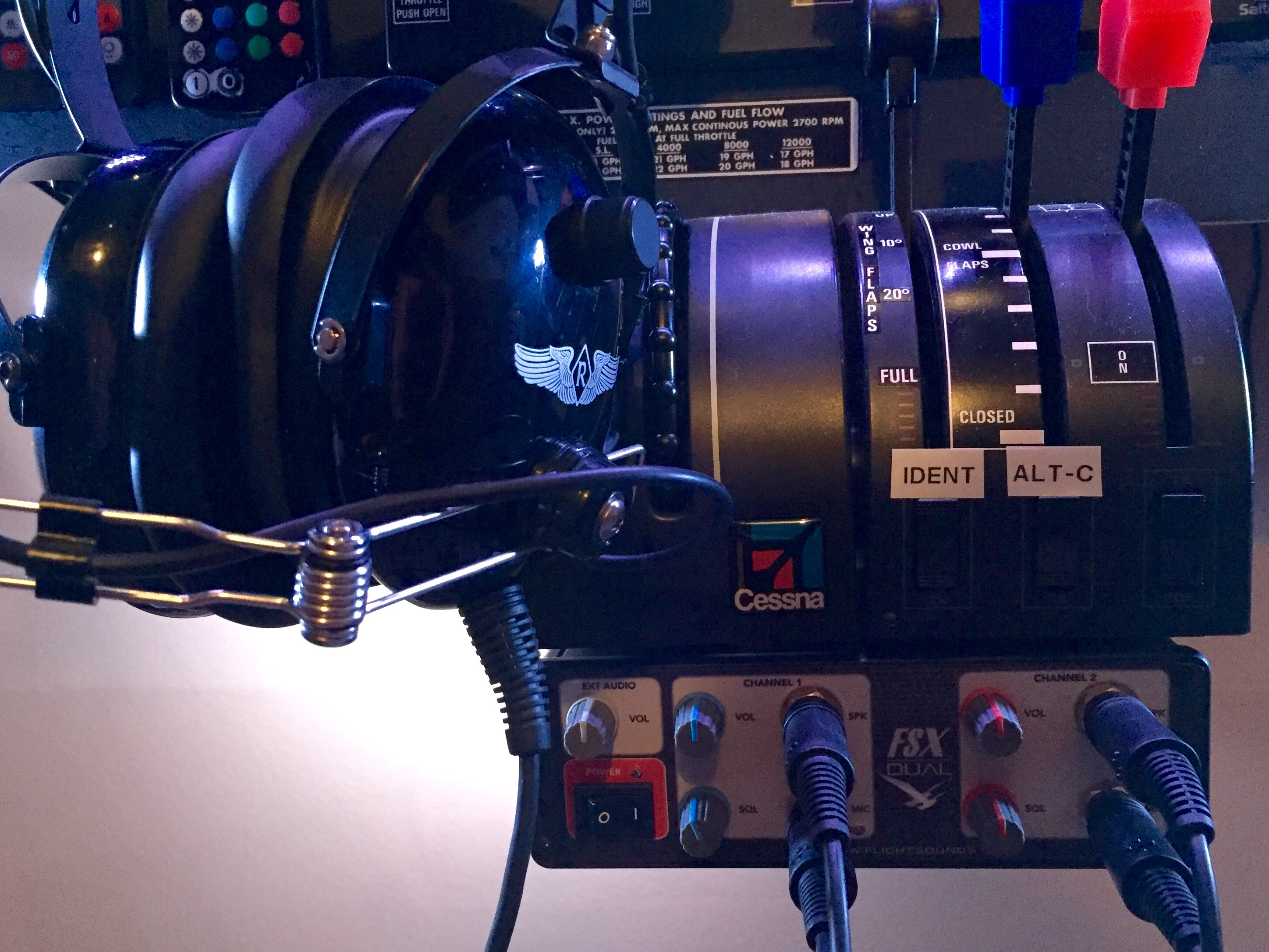
    FullSizeRender-3

    FullSizeRender-4

    This is not an inexpensive add-on, weighing in at $219.95 USD. You can buy some real-world intercoms for less, but then need to either settle with each being part of the overall PC sound card, or running a USB-to-aux adapter. As for an out-of-the box solution the DUAL really was the only viable option I found, and candidly, it has been worth every penny. It looks great, works great, and Flight Sounds provided exemplary support. At least for me, the FSX-DUAL from Flight Sounds is highly recommended.

    Share this:

    • Share on X (Opens in new window) X
    • Share on Facebook (Opens in new window) Facebook
    • Email a link to a friend (Opens in new window) Email
    • Print (Opens in new window) Print
  • PilotEdge Live Stream

    2016-06-20

    |

    Uncategorized

    PilotEdge controller Marcusmmc is streaming his scope live now on Twitch. Worth watching if you’ve ever wondered about the controller’s side of things.

    And how about this: you can embed the stream! I’ll do that here …

    Watch live video from Marcusmmc on www.twitch.tv

    Share this:

    • Share on X (Opens in new window) X
    • Share on Facebook (Opens in new window) Facebook
    • Email a link to a friend (Opens in new window) Email
    • Print (Opens in new window) Print
  • Scotland! Aberdeen To Leuchars

    2016-06-19

    |

    Videos

    Per a YouTube viewer request, the basement sim goes to Scotland thanks to the fantastic Orbx Scotland scenery package. Truly wonderful stuff. Enjoy.

    Share this:

    • Share on X (Opens in new window) X
    • Share on Facebook (Opens in new window) Facebook
    • Email a link to a friend (Opens in new window) Email
    • Print (Opens in new window) Print
  • Today …

    2016-06-18

    |

    Real World Instruction

    Was another great day to go flying! Did a bunch of pattern work today. So thrilling to control the aircraft from taxi to touchdown!

    Share this:

    • Share on X (Opens in new window) X
    • Share on Facebook (Opens in new window) Facebook
    • Email a link to a friend (Opens in new window) Email
    • Print (Opens in new window) Print
  • Carenado Releases A Baron 350i

    2016-06-17

    |

    Uncategorized

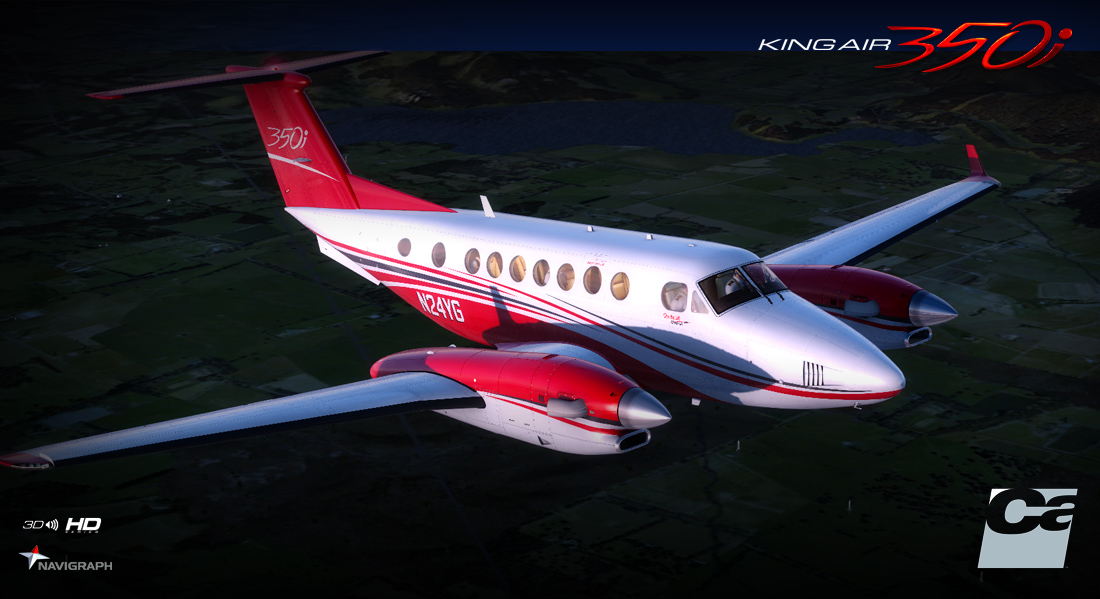
    Carenado has released a Baron 350i King Air. I have a great friend who flies one of these for a living … in fact, he’s the buddy who helped me build the sim on construction weekend. I like Coronado’s aircraft (and have the Cessna 182 and Cessna 177 Cardinal), and I’m VERY tempted to give this a try (and long for the day when this blog will be popular enough that I’ll be asked to demo or beta these kinds of things).

    89ee1f75-c917-4779-95d0-816b35a18fc3

    Share this:

    • Share on X (Opens in new window) X
    • Share on Facebook (Opens in new window) Facebook
    • Email a link to a friend (Opens in new window) Email
    • Print (Opens in new window) Print
  • Video Tour Of The Cessna Home Cockpit Basement Sim

    2016-06-17

    |

    Construction, Videos

    Several readers and viewers asked that I make a brief video tour of the basement sim, so I did so. Feel free to email with questions.

    Share this:

    • Share on X (Opens in new window) X
    • Share on Facebook (Opens in new window) Facebook
    • Email a link to a friend (Opens in new window) Email
    • Print (Opens in new window) Print
  • The Dovetail Vision

    2016-06-14

    |

    Uncategorized

    At last week’s FlightSimCon the Creative Director for Dovetail Games’ Flight School and forthcoming Flight Simulator gave a presentation on their design vision. Interesting stuff, and here’s the full thing. Notable that he’s been in the world of flight sim for 18 months. Both strengths and weaknesses in that, I’m sure.

    Share this:

    • Share on X (Opens in new window) X
    • Share on Facebook (Opens in new window) Facebook
    • Email a link to a friend (Opens in new window) Email
    • Print (Opens in new window) Print
  • Aero Video With BasementFlyKid

    2016-06-12

    |

    Videos

    Today we have a special guest in the basement sim … and boy can he fly!

    Share this:

    • Share on X (Opens in new window) X
    • Share on Facebook (Opens in new window) Facebook
    • Email a link to a friend (Opens in new window) Email
    • Print (Opens in new window) Print
  • R22 Gauges At FSXTimes

    2016-06-11

    |

    Links Worth Following

    Helicopter simmers should check out Tom Tsui’s latest set of Saitek FIP gauges, these for the R22 Robinson. Beautiful work as always by Tom.

    r22_robinson

    Share this:

    • Share on X (Opens in new window) X
    • Share on Facebook (Opens in new window) Facebook
    • Email a link to a friend (Opens in new window) Email
    • Print (Opens in new window) Print
Previous Page
1 … 49 50 51 52 53 … 59
Next Page

On The Glideslope

  • Instagram
  • Facebook
  • X

Loading Comments...

You must be logged in to post a comment.